











 Japanese
導入
もしあなたが ワードプレス website, SEO should not feel like a mystery or a technical wall that only developers can understand. At its core, SEO is about helping search engines understand your pages and helping real people decide whether your content is worth clicking. Google explains SEO in this practical way: it improves how search engines crawl, index, understand, and present your content in search results.
This guide explains how to do SEO on WordPress in a simple, educational way. Instead of treating SEO as one magic setting, you should see it as a system made of visibility, structure, content quality, speed, trust, internal linking, and ongoing updates. WordPress already gives you a strong starting point with built-in publishing tools, permalink settings, themes, categories, tags, and plugin support. WordPress.org also notes that WordPress includes search-friendly features such as permalinks and other tools that help search engines crawl posts, pages, and categories.
What WordPress SEO Really Means
WordPress SEO means improving your website so search engines can discover it, understand it, and match it with the right search queries. It also means improving the experience for visitors after they land on your site. A page that ranks but loads slowly, looks messy on mobile, or fails to answer the user’s question will not perform well for long.
A good WordPress SEO strategy usually includes three major areas. First, technical SEO makes sure your site can be crawled and indexed. Second, on-page SEO improves titles, headings, URLs, images, internal links, and content. Third, authority and trust signals help users and search engines see your site as reliable.
Make Sure Search Engines Can See Your Site
Before you optimize keywords or install plugins, check the most basic setting: your site must be visible to search engines. In WordPress, go to Settings > Reading and make sure the option that discourages search engines from indexing the site is not selected. Neil Patel’s WordPress SEO guide also highlights this as one of the first settings to verify because a hidden site cannot grow organic traffic.
This matters especially after launching a new site. Many designers and site owners hide a website during development, then forget to turn indexing back on. If Google cannot access your pages, even great content will stay invisible.
Use SSL and Keep Your Website Secure
A secure website builds trust with both visitors and search engines. SSL changes your site from HTTP to HTTPS and helps protect information exchanged between the browser and your website. For users, the small lock icon in the browser can make your website feel safer and more professional.
Security does not stop with SSL. Keep WordPress core, themes, and plugins updated. Remove plugins you no longer use. Choose reliable plugins instead of installing every tool that looks useful. A hacked or unstable site can damage rankings, user trust, and conversions.
Set a Clear URL and Permalink Structure
URLs should be readable, stable, and easy to understand. WordPress lets you choose permalink settings from the dashboard under Settings > Permalinks. WordPress.org explains that “plain” permalinks use IDs, while “pretty” permalinks can include readable words such as the post name, making them easier for users and search engines to understand.
For most business websites and blogs, the Post name structure is a strong choice. For example, a URL like /how-to-do-seo-on-wordpress/ is clearer than /?p=123. Keep URLs short, avoid unnecessary words, and include the main topic naturally. Do not change existing URLs without planning redirects, because broken links can hurt both users and search visibility.
Install a WordPress SEO Plugin
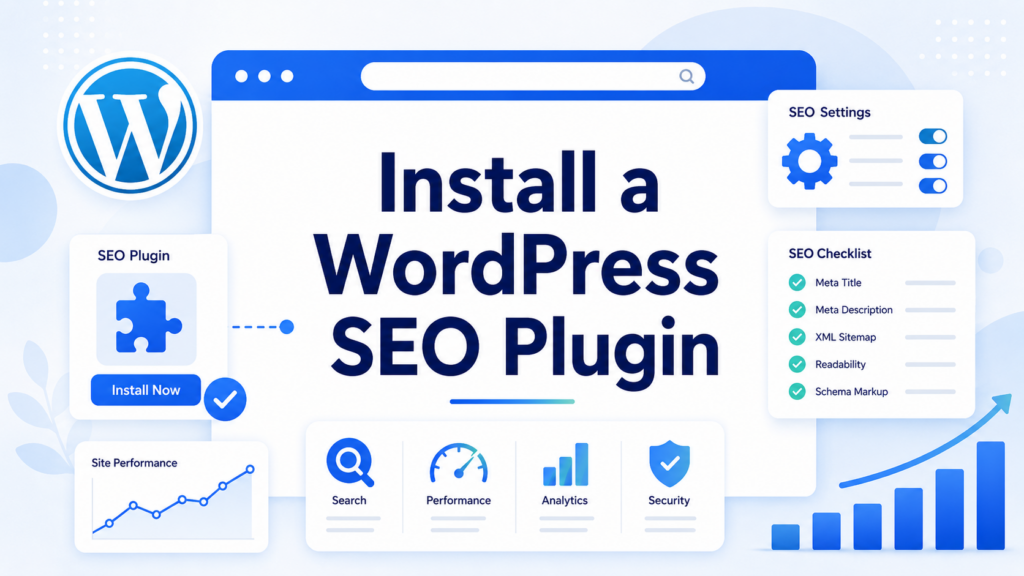
WordPress SEO plugins do not magically rank your site, but they make optimization easier. A good plugin can help you edit SEO titles, meta descriptions, canonical URLs, XML sitemaps, schema markup, and social sharing previews. Neil Patel’s guide mentions popular plugins such as Yoast SEO as tools that help manage metadata and on-page optimization.
Choose one main SEO plugin and learn it well. Installing multiple SEO plugins with overlapping features can create conflicts. After installation, configure the basics: site name, title formats, sitemap settings, social metadata, schema type, and indexing rules for categories, tags, or archives.
Submit Your XML Sitemap
An XML sitemap acts like a map of your important pages. It helps search engines discover the pages you want indexed. Many WordPress SEO plugins generate a sitemap automatically. After creating it, submit it through Google Search Console.
Google says sitemaps are part of crawl and indexing documentation, and Search Console is one of the tools site owners can use to understand how their site appears in Google Search. Submitting a sitemap does not guarantee rankings, but it helps Google find your pages more efficiently, especially on new websites or large websites with many posts and product pages.
Organize Categories and Tags Carefully
Categories and tags help structure WordPress content, but many site owners misuse them. Categories should describe broad content groups. Tags should describe more specific details. For example, a digital marketing blog might use categories like SEO, PPC, Content Marketing, and Email Marketing. Tags might include WordPress SEO, local SEO, technical SEO, or keyword research.
Avoid creating too many thin tag pages. If every post has random one-time tags, your site can generate many low-value archive pages. A cleaner structure improves navigation and helps search engines understand relationships between topics.
Build a Logical Site Structure
A strong WordPress site should feel easy to navigate. Your homepage should guide visitors to the most important sections. Main categories should connect to related subcategories. Individual posts and pages should connect back to parent topics.
Think of your site like a library. The homepage is the entrance. Categories are the shelves. Articles are the books. Internal links are the signs that help users move from one useful page to another. Neil Patel’s guide also emphasizes site structure because it helps both users and crawlers move through a website more efficiently.
Add Breadcrumbs
Breadcrumbs show users where they are on your site. A typical breadcrumb path might look like this: Home > Blog > WordPress SEO > How to Do SEO on WordPress. This small navigation element can improve usability, especially on websites with many pages.
Breadcrumbs also reinforce site structure. Many SEO plugins and WordPress themes support breadcrumbs, so you usually do not need custom development. Use breadcrumbs when your site has categories, product collections, service pages, or deep blog structures.
Do Keyword Research Before Writing
Keyword research helps you understand what people actually search for. Instead of guessing topics, use keyword tools, Google autocomplete, competitor pages, Search Console data, and customer questions. The goal is not to stuff keywords everywhere. The goal is to match search intent.
For the keyword how to do seo on wordpress, the search intent is educational. The reader probably wants a step-by-step explanation, not a sales page. That means the article should explain visibility settings, plugins, permalinks, sitemaps, content, speed, images, mobile optimization, and measurement.
Use your primary keyword in the title, introduction, URL, one or two headings, and naturally throughout the article. Add related phrases such as WordPress SEO tips, WordPress SEO checklist, on-page SEO for WordPress, SEO plugin, XML sitemap, and optimize WordPress website.
Write Better SEO Titles and Meta Descriptions
Your SEO title is often the first thing a searcher sees. It should be clear, clickable, and relevant. A good title tells users what they will learn. For example, “How to Do SEO on WordPress: The Practical Beginner Guide” works because it includes the main keyword and promises a beginner-friendly explanation.
Meta descriptions do not guarantee rankings, but they can influence clicks. Write them like short ad copy. Explain the benefit, include the keyword naturally, and keep the message focused. A strong meta description for this topic could be: “Learn how to do SEO on WordPress with simple steps for plugins, permalinks, sitemaps, keywords, content, speed, and mobile optimization.”
Use Headings the Right Way
Headings make your content easier to scan. They also help search engines understand page structure. Use one H1 for the main title. Use H2 headings for major sections. Use H3 headings for supporting points under each section.
Do not use headings only for visual style. A page with random heading levels can feel confusing. Neil Patel’s guide notes that headings should be nested logically and that a page should generally use one main H1.
Create Helpful, People-First Content
SEO works best when the content genuinely helps the reader. Google’s own starter guide explains that SEO is not about secret tricks that automatically put a site first; it is about making your content easier to crawl, index, and understand while serving users well.
For WordPress, this means writing content that answers the full question. Do not publish thin posts just to target keywords. Use examples, clear steps, comparison tables, screenshots, FAQs, and practical explanations when they help the reader. Update older content when information changes.
Good content should satisfy search intent. If the keyword is beginner-focused, explain terms clearly. If the keyword is commercial, compare options. If the keyword is local, include location relevance. If the keyword is informational, teach before selling.
Use Internal Links Strategically
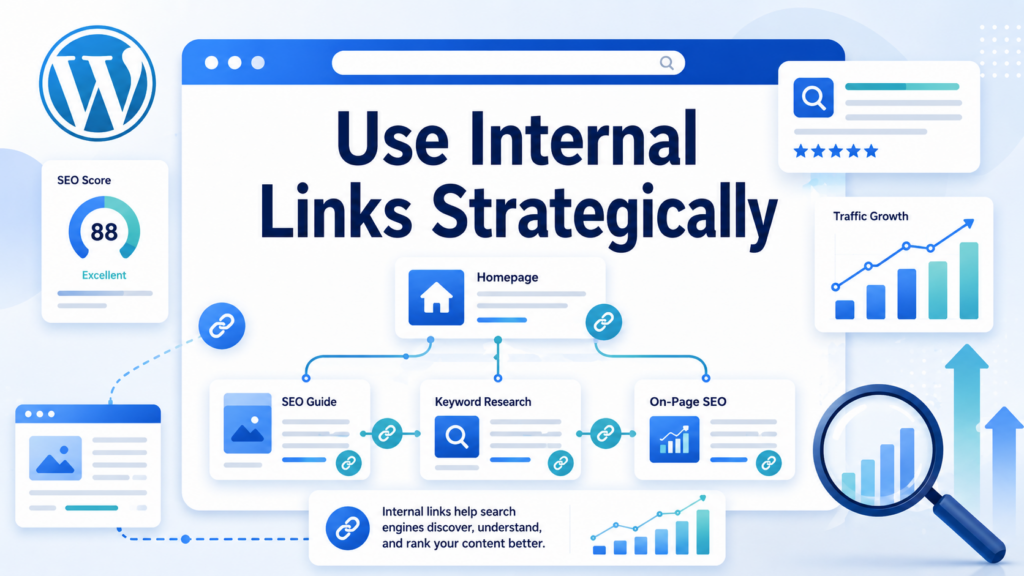
Internal links connect your pages and help visitors discover related content. They also help search engines find and understand your pages. For example, an article about WordPress SEO can link to related posts about keyword research, technical SEO, image optimization, website speed, and Google Search Console.
Use descriptive anchor text. Instead of writing “click here,” use text like “WordPress image optimization guide” or “technical SEO checklist.” This gives users a clearer reason to click and gives search engines more context about the linked page.
Optimize Images with Alt Text
Images can support SEO when you use them correctly. Compress large files so they load faster. Rename image files with clear words before uploading. Add descriptive alt text that explains the image in context.
Google explains that alt text helps search engines understand what an image is and how it relates to the page. This also improves accessibility for users who rely on screen readers. Do not stuff keywords into alt text. Describe the image naturally.
Improve Mobile Experience
Most users expect websites to work smoothly on phones. A mobile-friendly WordPress site should use responsive design, readable font sizes, simple navigation, fast-loading images, and buttons that are easy to tap.
Check your pages on real devices, not only in desktop preview mode. Many WordPress designs look good on a large screen but feel crowded on mobile. Since mobile users often have less patience, clean layouts and fast pages can improve both engagement and SEO performance.
Make Your WordPress Site Faster
Speed affects user experience. If a page loads slowly, visitors may leave before reading anything. Start with image compression, caching, lightweight themes, fewer unnecessary plugins, and reliable hosting. Neil Patel’s guide recommends using tools such as PageSpeed Insights and improving speed through image optimization, caching, and cleaner code.
Do not overload pages with huge sliders, background videos, oversized images, or too many third-party scripts. A beautiful WordPress site still needs to load quickly. Design and performance should work together.
Add Schema Markup When Useful
Schema markup, also called structured data, helps search engines understand specific information on a page. Depending on your content, schema can support articles, products, reviews, FAQs, recipes, events, local businesses, and more.
Structured data does not replace quality content, but it can improve how your listing appears in search results. Google’s SEO documentation includes structured data as part of search appearance improvements. Many WordPress SEO plugins can add basic schema automatically, but you should still check whether the information is accurate.
Keep Content Updated
SEO is not a one-time setup. Search trends change. Competitors update their content. Plugins change. Google’s systems evolve. Google also says SEO changes may take time to show results, ranging from hours to months, so site owners should monitor performance and keep improving.
Review important pages regularly. Update outdated screenshots, refresh statistics, improve weak sections, fix broken links, and add new internal links. If you publish tutorials, display a “last updated” date when it helps users trust the content.
Measure SEO Performance
Use Google Search Console to track impressions, clicks, average positions, indexed pages, and technical issues. Use analytics tools to understand behavior after users land on your site. A page with high impressions but low clicks may need a better title and meta description. A page with traffic but poor engagement may need better content, layout, or speed.
Measure the right things. Rankings matter, but they are not the only goal. Organic traffic, qualified leads, product views, form submissions, sales, and returning visitors can tell a more complete story.
結論
Learning how to do SEO on ワードプレス starts with the basics: make your site visible, secure it with SSL, choose clean permalinks, install one reliable SEO plugin, submit your sitemap, and organize your content with clear categories, tags, breadcrumbs, and internal links. From there, focus on keyword research, helpful content, optimized titles, readable headings, descriptive image alt text, mobile-friendly layouts, fast loading speed, useful schema markup, and regular content updates.
WordPress gives you many SEO-friendly tools, but strong results come from using those tools with a clear strategy. When your website is easy for search engines to crawl and easy for visitors to use, your WordPress SEO foundation becomes much stronger.
よくある質問
1. What is WordPress SEO?
WordPress SEO means optimizing your WordPress website so search engines can crawl, understand, and rank your content more easily. It includes technical settings, keyword research, content optimization, internal links, site speed, mobile experience, and SEO plugins.
2. How do I start SEO on WordPress?
Start by checking that your website is visible to search engines. Then set clean permalinks, install a reliable SEO plugin, submit an XML sitemap, optimize titles and meta descriptions, improve site speed, and create helpful content around target keywords.
3. What is the best SEO plugin for WordPress?
Popular WordPress SEO plugins include Yoast SEO, Rank Math, and All in One SEO. The best choice depends on your needs, but you should use only one main SEO plugin to avoid conflicts between duplicate features.
4. Why are permalinks important for WordPress SEO?
Permalinks help users and search engines understand what a page is about. A clean URL like /wordpress-seo-guide/ is easier to read than a default URL with numbers or random parameters. Clear URLs can improve site structure and click trust.
5. How often should I update WordPress SEO content?
You should review important SEO pages regularly, especially if the topic changes often. Update outdated information, improve weak sections, add internal links, refresh images, and check whether the page still matches the user’s search intent.
6. Does WordPress automatically handle SEO?
WordPress provides a strong SEO-friendly foundation, but it does not handle everything automatically. You still need to optimize your content, titles, descriptions, images, links, speed, mobile design, sitemap, and overall site structure.


WordPressのウェブサイトや、完全なeコマースシステムを備えたコーポレートサイトをデザイン・構築します。.
価格帯$200.00~$2,500.00custom-requirements-or-special-quotations
元価格は$2.00。.$1.00現在の価格は$1.00。. WordPress の電子商取引ストアに 50 個のプラグインは多すぎますか?
WordPressのeコマースサイトに50個のプラグインがあるからといって、それが自動的に問題になるわけではありません。実際、数だけでパフォーマンスが決まることはほとんどありません。.

Amazonホーム理学療法機器のメイン画像デザイン解説
はじめにAmazonで家庭用治療器の信頼できるイメージを構築する Amazonで家庭用治療器のメインイメージをデザインする際、私たちが最も重視するのは...

Amazon リップスティックコンバージョンのメイン画像デザイン
はじめにアマゾンで売れる口紅のメイン画像をデザインする アマゾンの口紅のメイン画像をデザインするとき、私たちの責任は...

ハッカーがWordPress管理者のメールアドレスを盗む方法(そしてそれを阻止する方法)
WordPressの管理者メールアドレスは、あなたが思っている以上に公開されているのです。ハッカーはそれが大好きです。彼らにとって、あなたの...

Amazonのリキッドファンデーションのメイン画像がコンバージョンにつながる理由
はじめに Amazonリキッドファンデーションのメイン画像デザインは、単に商品を美しく見せるだけではありません。Amazonでは、メイン画像と….

フィルターカートリッジの効果的なAmazonメインイメージのデザイン
はじめに Amazonのメイン画像をデザインする上で、商品を魅力的に見せることは決して重要ではありません。明確さ、信頼性、そして瞬時に理解できることが何よりも重要です。特に….

WordPress へのリプレイ攻撃: 本当の脅威か、それとも誇張された神話か?
まず最初に明確にしておきましょう。リプレイ攻撃は見た目には怖くありません。パスワードを破壊したり、緑色のハッカーテキストが飛び交うような悪質なコードを挿入したりもしません。彼らは狡猾なのです…。.

WordPressページを何も壊さずに複製する方法
正直に言って、新しいページを作りたくない時もあるでしょう。同じページを少しだけ変えたいだけなのに。レイアウトもブロックも設定も全部同じ。なぜなら….

ペット向けWordPressテーマ5選を比較
はじめに ペット関連のWordPressテーマを適切に選ぶことは、単なるデザイン上の決定ではありません。使いやすさ、拡張性、そして長期的なビジネスの成長に直接影響します。ペットケアとペット...

5つの水着eコマーステーマを比較
はじめに 水着やランジェリーの独立ストアに適切なテーマを選択することは、見た目だけの問題ではなく、コンバージョン率、拡張性、長期的な効果に直接影響します...

WordPressでコメント機能をオフにする方法(気が狂わずに)
WordPressのコメントについてお話しましょう。理論上は、コメントは素晴らしいものです。議論を促し、コミュニティを築き、ウェブサイトに「活気」を与えてくれます。しかし実際にはどうでしょうか?コメントはしばしば人を惹きつけ….

WordPress 500エラー:ウェブサイトがパニックに陥ったとき
WordPressサイトはほんの少し前までは問題ありませんでした。ページを更新した途端、突然…ドカーン💥…500 内部サーバーエラーが発生してしまいました。説明も謝罪もありませんでした。ただ冷たく、混乱を招くメッセージが表示され、その内容は….

科学主導のブランドのためのスケーラブルなWordPressウェブサイトの構築:AminoUSAプロジェクト
はじめに 今日のデジタル環境において、ウェブサイトは単なる製品リストを掲載する場所ではありません。規制の厳しい業界や研究重視の業界で事業を展開する科学主導のブランドにとって、ウェブサイトは….

グローバルブレードブランドのためのスケーラブルなShopifyストアの構築:CoolKatanaプロジェクト
はじめに 越境電子商取引において、Shopify の Web サイトは単なる店舗ではありません。ニッチで文化主導のカテゴリーで活動するブランドにとって、Web サイトは単なる店舗以上のものを実現する必要があります...

ポケモンカード向け高コンバージョンShopifyストアの設計
はじめに 収集可能な電子商取引の世界、特にポケモン トレーディング カード ゲーム (TCG) 市場では、Web サイトは単に製品をリストするだけでは不十分です。...

カスタムレンガブランドのための高コンバージョンShopifyデザイン
はじめに 今日の競争の激しいeコマース市場、特にパーソナライズされたギフトやコレクターズアイテムの分野では、Shopifyのウェブサイトは商品を展示する以上の機能を提供する必要があります。それは….

Shopifyサポートへの問い合わせ方法:シンプルでストレスフリーなガイド
Shopifyストアの運営は、混乱するのではなく、ワクワクするものであるべきです。疑問が生じたり、問題が発生して作業が滞ったりした場合でも、Shopifyは状況に応じて複数のサポートパスをご用意しています。.

Shopifyストアを非アクティブ化する方法:分かりやすく実践的なガイド
Shopifyストアの無効化はそれほど複雑ではありませんが、多くのマーチャントが見落としている影響があります。このガイドでは、そのプロセスを分かりやすく解説します。.