








Project overview
Product pictures of children’s instant printing cameras need to allow the instant printing process, shooting theme and package contents to unfold in an orderly manner. This case focuses on the existing 6 Ozon Russian works, dismantling the arrangements for product identification, theme description and condition verification. For brands and sellers who are preparing to produce pictures of similar products, the focus is not only on the style of the pictures, but also on understanding how different pictures distribute information so that product-related questions have corresponding reading positions.
| Services | Industry | Plate-forme |
| Ozon product primary and secondary product images design | Digital 3C | Ozon |
| Project requirements | target market | design style |
| Let the instant printing process, shooting themes and package contents unfold in an orderly manner | Russia | Children’s fun technology, fresh blue, information modularity |
| project budget | Delivery content | Delivery time |
| ¥650 | 6 case display pictures | 6 working days |
design challenge
Children’s cameras need to allow parents to understand the operation and accessories, and also need to reflect the product object through appearance and usage scenarios. Shooting numbers, creative functions and character shots should be organized separately to avoid taking the educational theme in the material as a measured growth effect.
Design strategy: Let the entire group of works form a clear information relationship
01 Allocate information tasks first, and then arrange the key points of the screen
The works are expanded according to “category main product image → children’s handheld → shooting and printing → creative theme → entertainment function → packaging content”. Figure 1 establishes the identification first, and then switches the composition and description position according to the actual theme. This division of information allows different questions to have their own place, reducing the need to pile up all the text in the first image, and preventing subsequent images from simply repeating the same product photo.
02 Use a consistent visual language to connect different reading tasks
The blue body and dark and light blue backgrounds run through the picture group. The white titles and rounded-corner labels remain clear. Cartoon images and photo paper connect children with the printing theme. The unified style serves the entire group identification, and composition changes serve different contents; the main title, auxiliary labels and product proportions in the picture jointly determine the reading order.
03 Reduce the explanation to specific parts, actions or choices
The focus of this series of works is to keep the instant printing process, the subject of the shoot and the contents of the package unfolding in an orderly manner. When dismantling, look at the correspondence between the whole machine and parts, themes and conditions: when there is structural information, look at the positional relationship, when there is scene information, look at the objects used, and when there are numbers, look at the categories and limiting conditions. Letting each picture answer a specific question has more explanatory value than repeatedly emphasizing the excellence of the product.
Dismantling the work: explaining the screen arrangement and information responsibilities of each picture
Figure 1|Category main product image: directly displays the print export
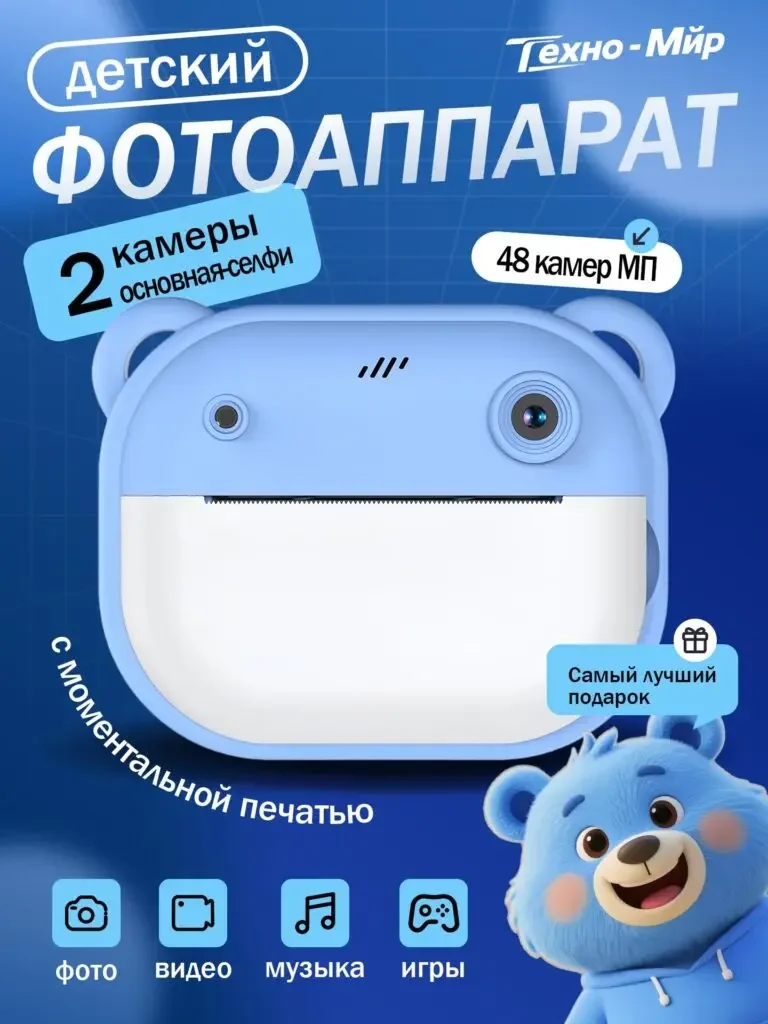
The front of the blue camera and the photo paper occupy the center, the dual camera and shooting themes are supplemented by labels, and four icons are used to organize functions at the bottom.
The paper makes the instant printing attributes directly visible, and the shape makes the positioning of children’s products clearly identifiable.
Figure 2|Children’s handheld: provides size and operation reference
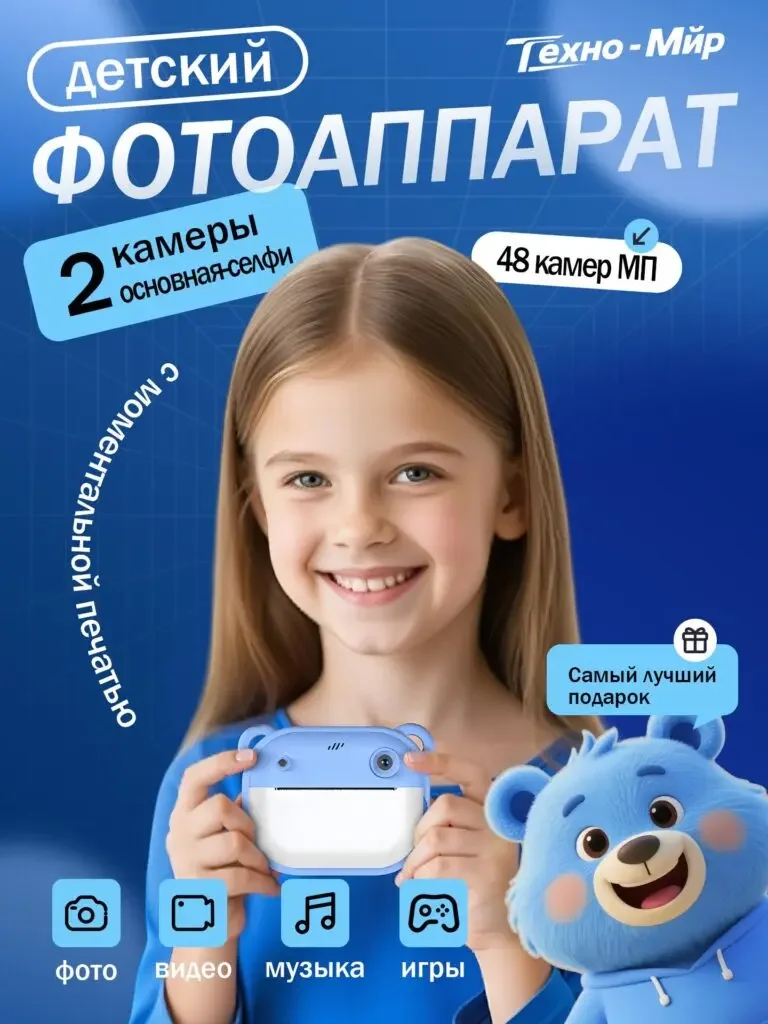
The child holds the camera with both hands, the product and the face form the primary and secondary structure, and the title and icon continue the structure of the first image.
Hand-held scenes help understand proportions and usage status, and avoid using isolated product images to express children’s use.
Figure 3|Photography and printing: presenting structure and parameters separately
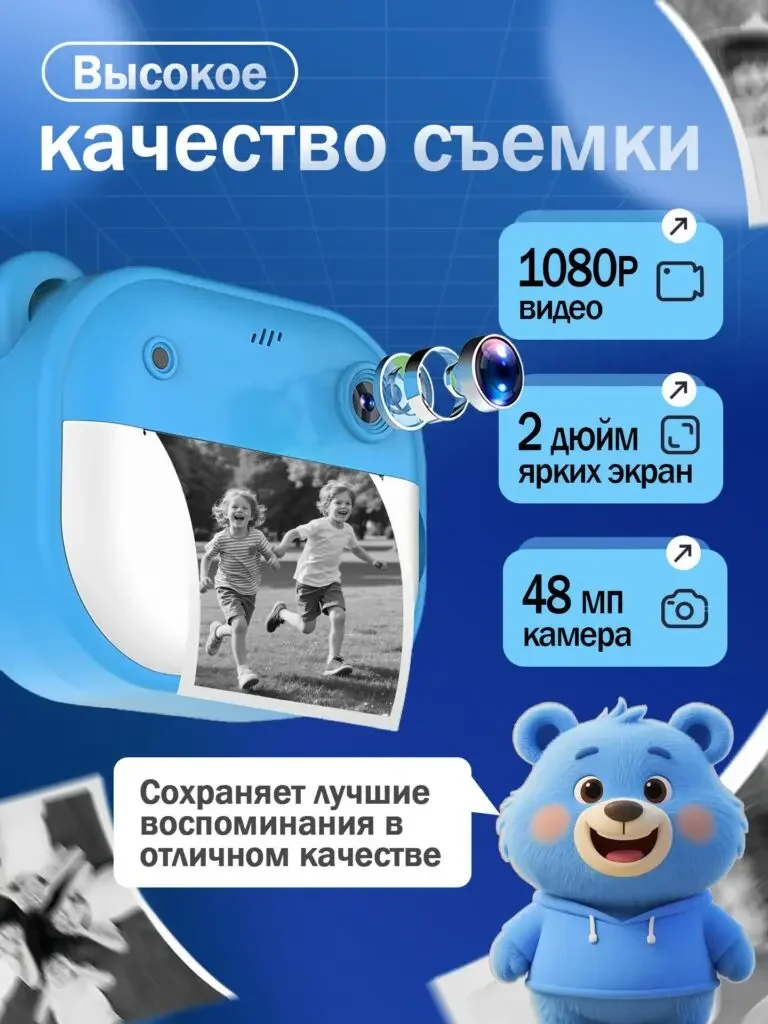
Lens indication, photo paper and camera appear at the same time, and 1080P, screen and shooting annotations are organized into three cards.
It shows where the information is involved, parameter cards support verification, and print screens connect different functions to the product.
Figure 4|Creative theme: organize frame selection with two numbers
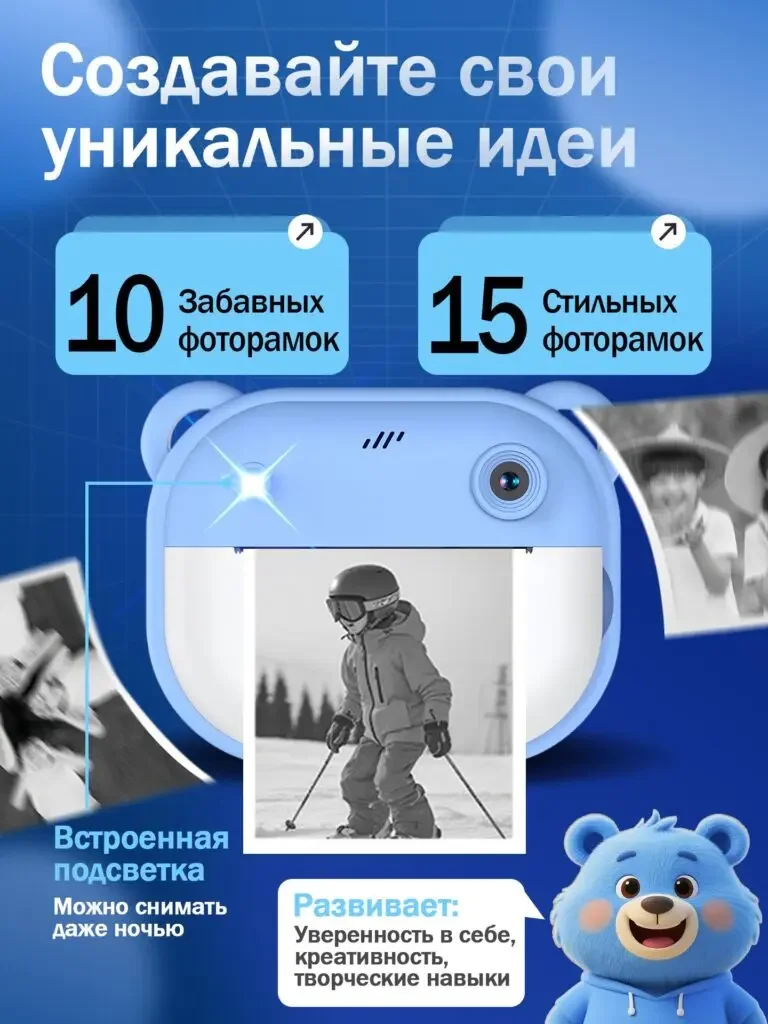
10 and 15 are placed on two cards respectively, with the camera and printed photos below, and the cartoon image maintains series recognition.
Quantities and examples work together to illustrate the theme of creativity, and the card distinguishes between two categories of choices without writing about it as a proven creativity boost.
Figure 5|Entertainment function: let music and games be displayed independently
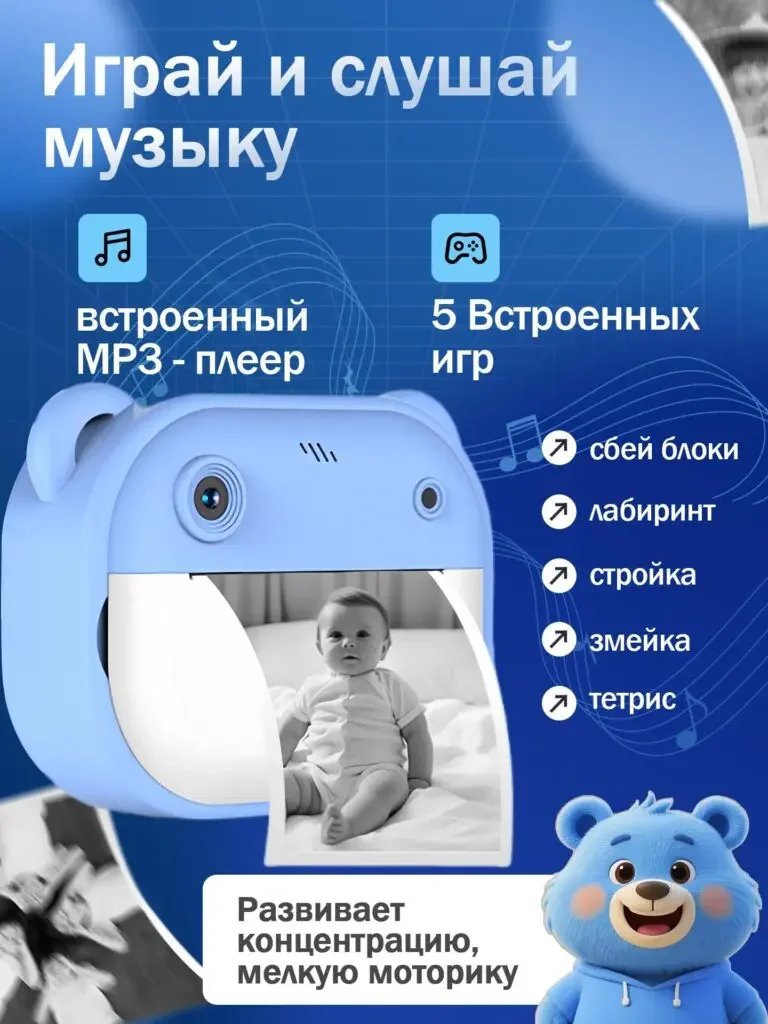
MP3 and 5 games are arranged on both sides, the product and printing screens are still in the center, and the icons maintain the same style.
This page supplements functions other than photography. The two themes have their own positions to avoid stacking descriptions on the first picture.
Figure 6 | Packaging contents: clearly list consumables and accessories
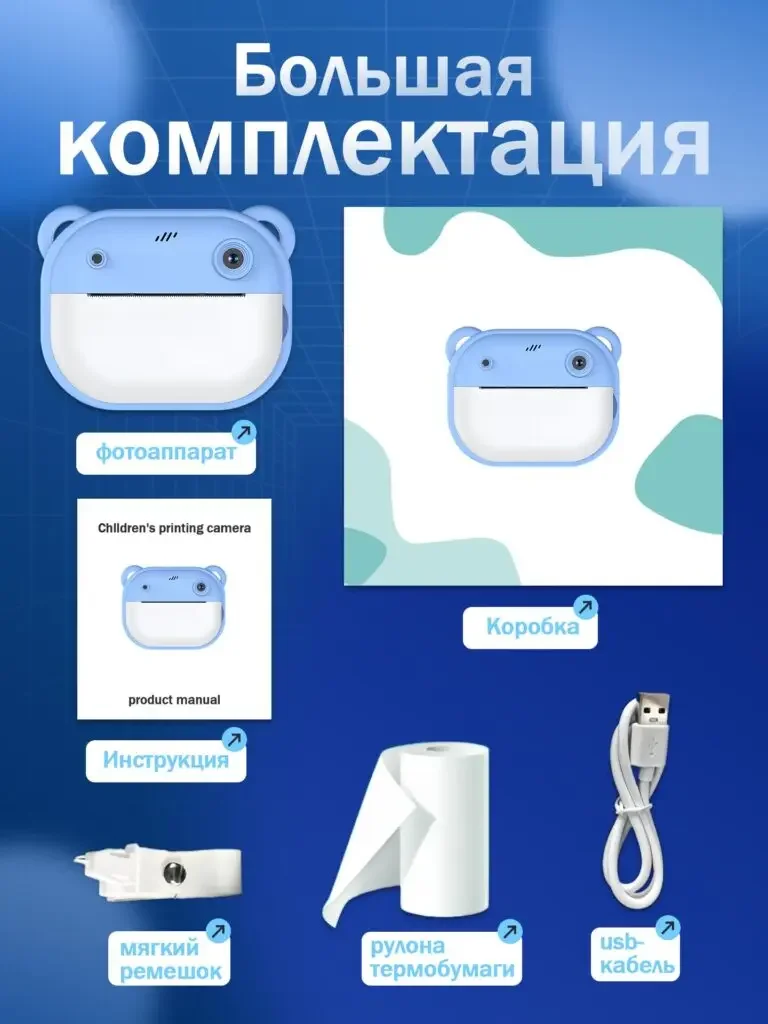
The camera, packaging box, manual, strap, thermal paper and USB cable are displayed separately and attached with name tags.
The console and consumables can be checked at the same time, and the last page turns the previous gameplay theme into a clear purchase object.
Delivery summary and design value
The entire team delivers with a clear division of labor
The 6 works in this case respectively cover “category main product image → children’s handheld → shooting and printing → creative theme → entertainment function → packaging content”. The number of images depends on the actual content, and each image has its own theme while maintaining an overall identity through color, text hierarchy, or composition.
Procurement issues can be more easily mapped to specific information
Focusing on children’s instant printing cameras, the work will “allow the instant printing process, shooting themes and package contents to unfold in an orderly manner” into different scenes. When brands plan similar designs, they can first list the content that consumers need to identify, understand and check, and then determine the tasks and order of primary and secondary product images.
Value is based on interpretive methods and authentic works
The whole machine, part, scene and information cards provide different reading entrances, helping to organize product descriptions more clearly. The value of this case is the visible design expression and information division of labor; changes in click-through rates, sales, and conversion rates require additional statistical or test data support.
The parameters, materials and functions in this article are used to explain the content of the accompanying pictures. The specific specifications, applicable conditions and accompanying items are subject to the product information of the corresponding model.
Plan clearer product images for your Ozon products
If you also need to plan primary and secondary product images for your Ozon children’s instant-print camera, you can submit product links, existing pictures or product information to AIRSANG, explain the target market and required picture group range, and communicate the information organization and visual direction suitable for the product.
Consultation email: [email protected] · Telephone: 177-5952-2770