









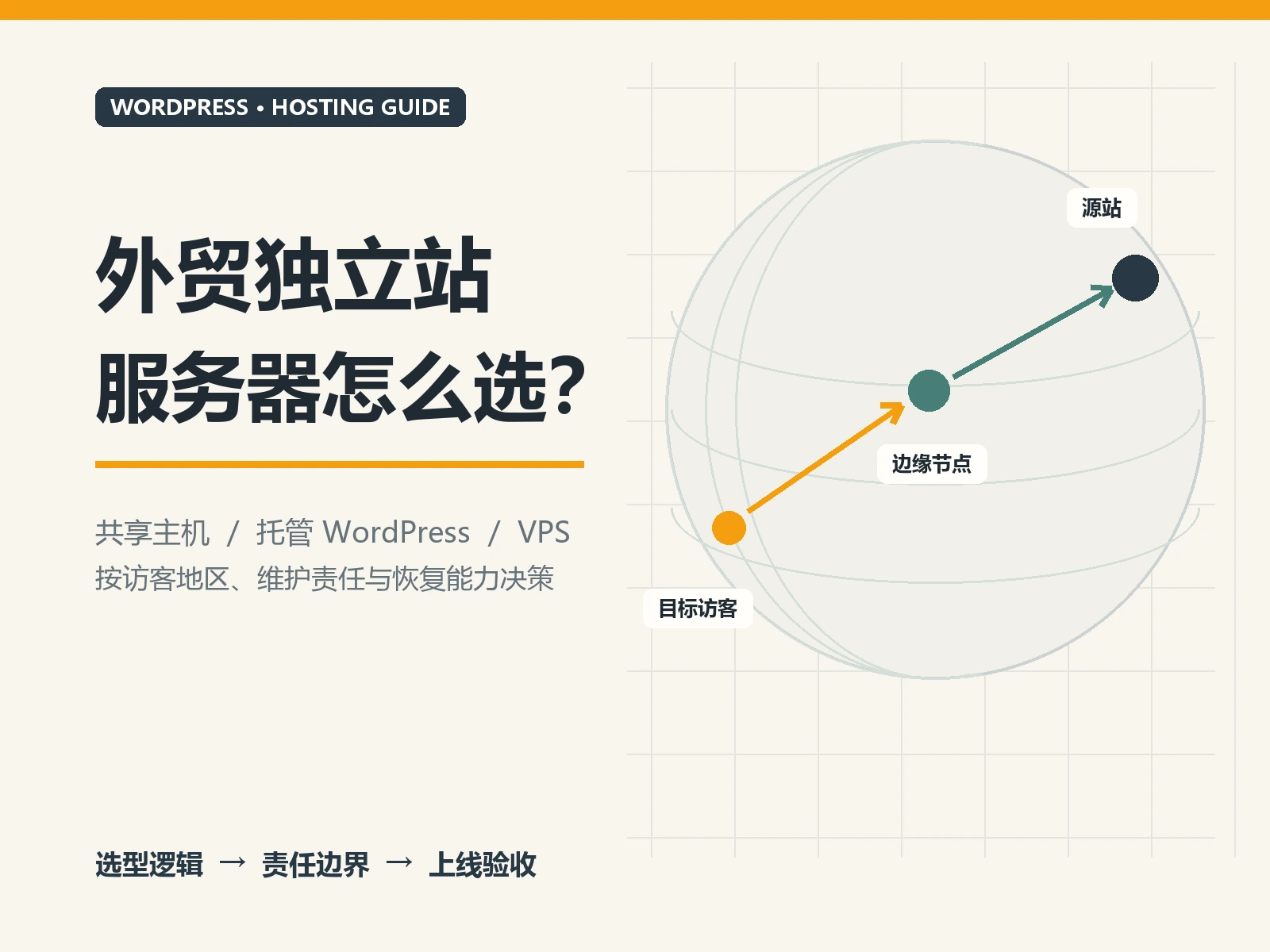
How to choose WordPress international business website server? If you’re comparing Hostinger, Vultr, Bricklayer, and GoDaddy, don’t worry about “how many cores and how many gigabytes.” For most website development clients, the more useful questions are: who will install and maintain your website, where your main customers are, who will deal with website problems, and how much you will pay after the first year. Let’s put the four companies in the same table to help you narrow down your choices first, and then tell you what to ask before placing an order.
Let’s look at the conclusion first: if you don’t have technical staff, give priority to manageable WordPress packages
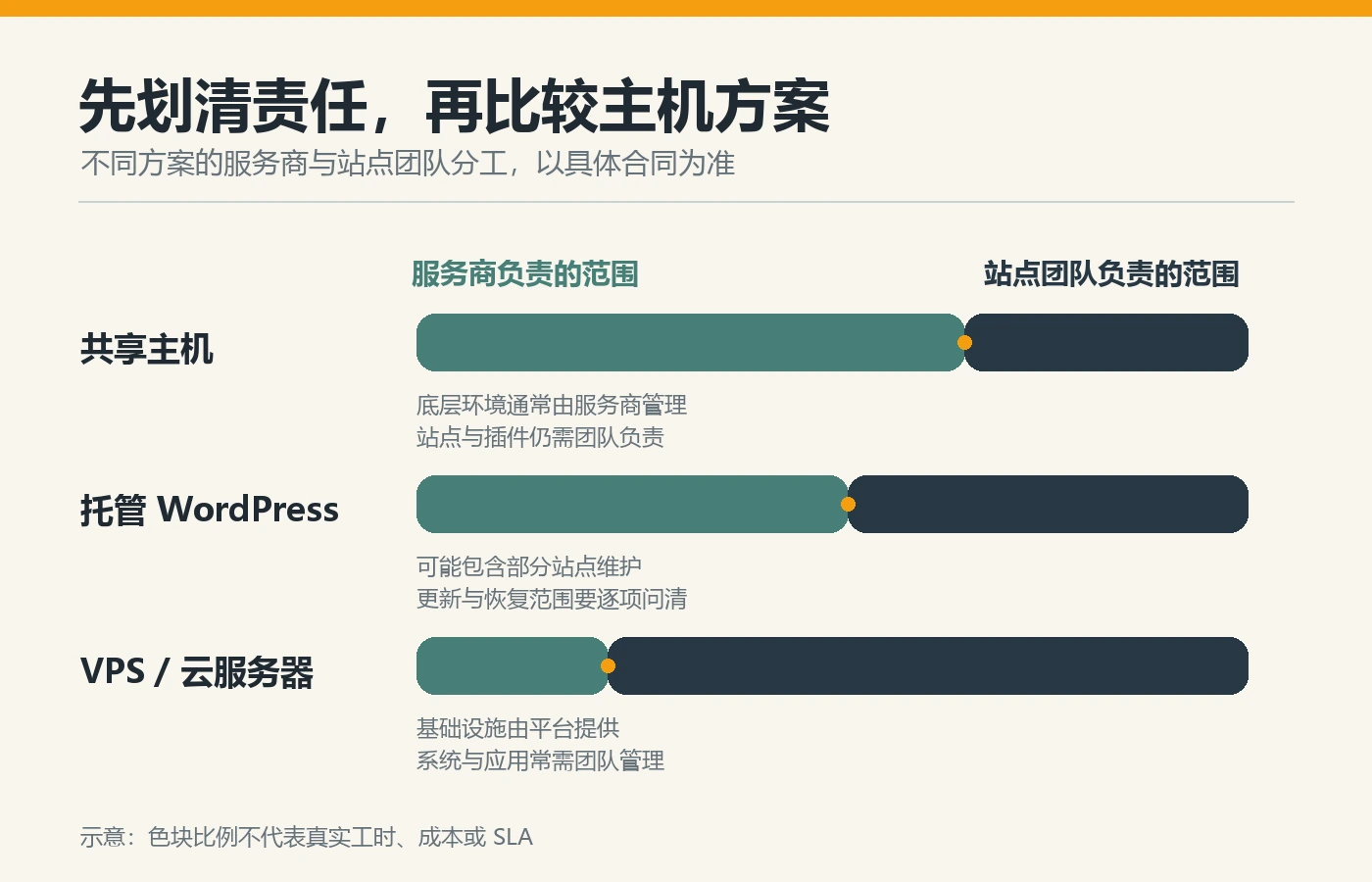
Both Hostinger and GoDaddy have hosting products for WordPress that are often easier to get started than starting with a blank server. Vultr and Bricklayer are mainly suitable for teams that want to control the server themselves and have someone to maintain it. “Hosting” here does not mean that the service provider maintains all plug-ins, content, forms and business processes for you; “VPS” can be understood as renting a remote computer that can be configured by yourself, which has a higher degree of freedom and requires more management.
If this is your first WordPress website to display products and collect customer inquiries, first compare the specific WordPress packages and renewal terms of the first two. If your website has special programs, a complex mall, or an established technical team, then consider Vultr and Bricklayer as options. The actual speed cannot be judged solely by the brand, but must be tested with real pages in the region where the target customers are located.
How do Hostinger, Vultr, Bricklayer, and GoDaddy compare?
The table below compares the common usage methods of each company’s public products, not the promises of each package. Backup, migration, email, customer service coverage and renewal prices will vary depending on the product, region and purchase time; ultimately, the package page and order terms you selected shall prevail.
| service provider | Who is more suitable for | Entry level | Important things to check before buying |
|---|---|---|---|
| Hostinger | Teams who want to launch a WordPress display site quickly and have website development tools | Relatively easy; still needs to manage site content and plugins | Initial purchase and renewal, backup frequency, available resources, target customer region experience |
| Vultr | Teams with development or operation and maintenance personnel who need flexible deployment | Higher; usually requires self-configuration and maintenance | Resource usage billing, backup options, maintenance personnel and troubleshooting |
| Bricklayer | A team that is familiar with VPS and has a clear need for its circuit or data room options | Higher; someone needs to be responsible for website environment and security maintenance | Package inventory, line and traffic restrictions, renewal, backup and after-sales coverage |
| GoDaddy | Teams looking to purchase domain names and WordPress hosting from the same provider | Relatively easy; still requires website maintenance | Renewal and additional items, backup/migration scope, domain name and host are billed separately |
“Easy” in the table only refers to buying a host and starting to install the website. It does not mean that website design, content, multi-language, customer inquiry delivery or SEO can be completed automatically. If you haven’t decided yet whether to use WordPress or Shopify, check it out first WordPress vs Shopify comparison : Shopify’s store hosting is usually included in its plans, and there is no need to rent the above-mentioned WordPress server for the store itself.
What situations are each of the four suitable for?
Hostinger: Want to set up a regular WordPress site faster
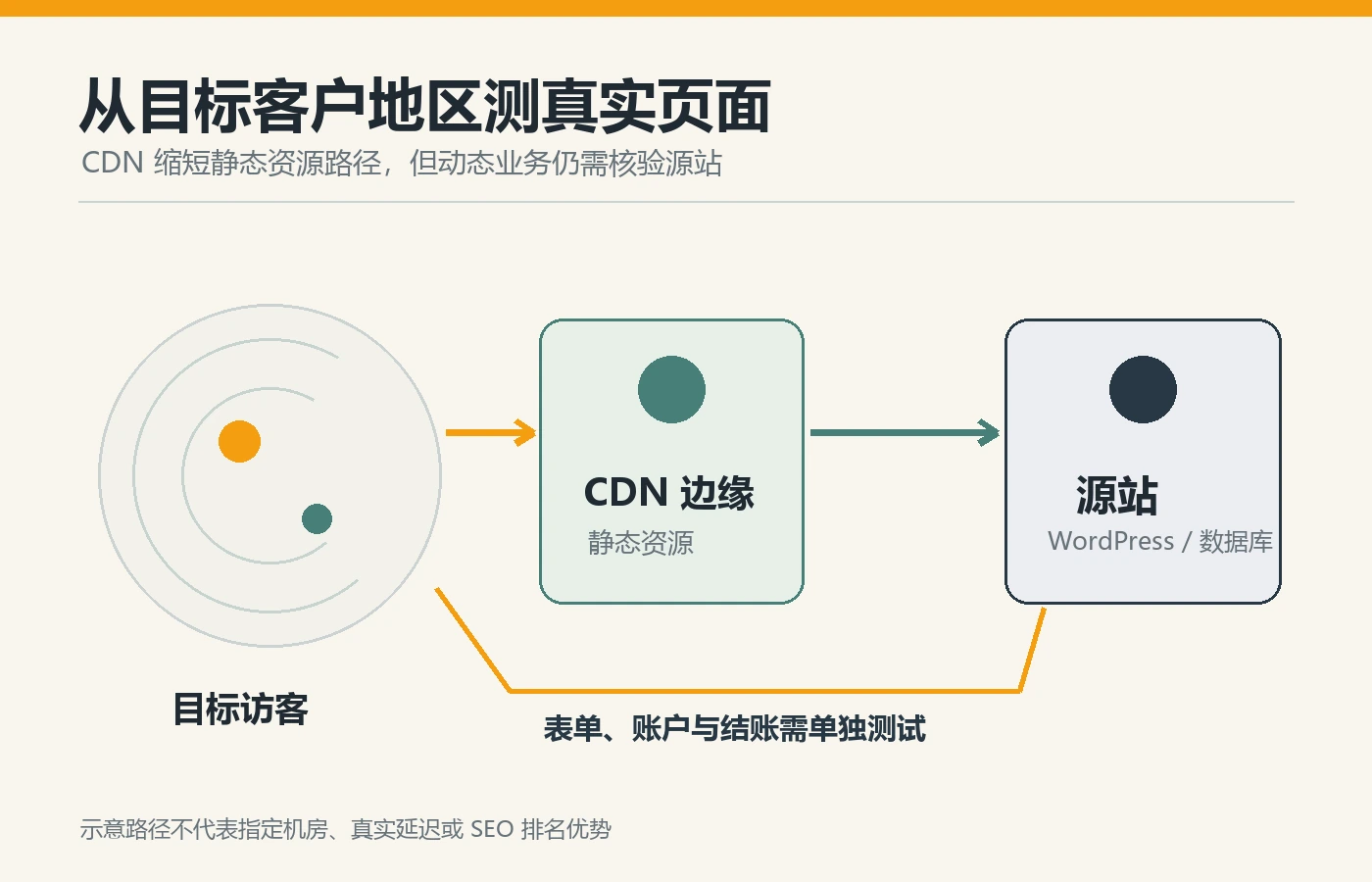
Provided by Hostinger Managed WordPress plans . If the team does not have a full-time server administrator, but wants to have a WordPress installation and management interface, you can start by comparing its specific packages. Don’t just look at the promotional price displayed on the homepage: confirm the prepayment period and renewal price corresponding to the discount. On the official page, different packages have different backup frequency, CDN and other rights. The functions of high-end packages cannot be regarded as available in all packages. Foreign trade websites should also test product pages and customer inquiry forms from major customer areas, not just the host company’s speed promotion.
Vultr: Someone can manage the server and wants to decide how to deploy it
Vultr’s Cloud Compute More like server resources that can be configured on demand. It gives the team more control, but also requires clear ownership of the website environment, updates, security, monitoring and failure recovery. Vultr’s One-click WordPress documentation Make it clear that subsequent updates to deployed instances are the responsibility of the user; automatic backups are also required Activate and bill separately . If there is no development or operation and maintenance support, it is not recommended to buy it directly just because you see the entry-level configuration or the many choices of computer rooms.
Brick mover: Familiar with VPS and has clear requirements for lines
BandwagonHost official website sales Self-managed VPS . For teams that are familiar with server management, know the target customer region, and are willing to test the lines themselves, it can be included as a candidate; for companies that are developing a website for the first time and do not have technical personnel, the management burden is easily underestimated. its Terms of Service It is clear that we will not install and maintain the software in the VPS for users. Don’t interpret “a certain line is suitable for access” to mean that it is fast in all countries and at all times; check the computer room, traffic, inventory, renewal, backup and work order support before purchasing, and test the real page of the website.
GoDaddy: Want to compare domain names and WordPress hosts with the same company
Provided by GoDaddy Managed Hosting for WordPress , also sells services such as domain names. its Hosting Service Description WordPress installation, automatic backup and core updates are listed, but the backup descriptions on different product pages may be different. You must check the specific package and regional terms when purchasing. Teams that already manage domain names with GoDaddy can compare the billing and management convenience, but they don’t have to buy the same host by default just because the domain name is with GoDaddy. Write down the initial purchase, renewal, domain name, email and additional service fees separately, and confirm the process of migrating the website or transferring the domain name.
Don’t just compare “how much does it cost per month”, compare the complete bill
The most common misjudgment is to regard the monthly price during the preferential period as a long-term cost. Make a two-year cost schedule: initial host purchase, renewal, domain name, business email, paid backup, image or CDN services, migration, and man-hours of maintenance personnel. If server solutions such as Vultr and Bricklayer require outsourced operation and maintenance, technical service fees are also real costs. Vultr Billed by instance running time , shutting down does not mean stopping billing, it must also be included in the budget. The WordPress packages of Hostinger and GoDaddy depend on which services are included and which are added during settlement. Different countries, currencies, taxes and promotions will change, so this article does not list fixed prices that have not been confirmed on the date of purchase.

Before placing an order, ask these seven questions to all four companies
- Which product did you choose? First, distinguish between WordPress hosting and VPS that need to be maintained by yourself. Don’t just remember the service provider brand.
- How much does it cost to renew? Record purchase terms, automatic renewals and add-on services, and check the checkout page with the contract.
- Who is responsible for website problems? Ask who will handle server failures, WordPress updates, plug-in conflicts, and forms not receiving emails respectively.
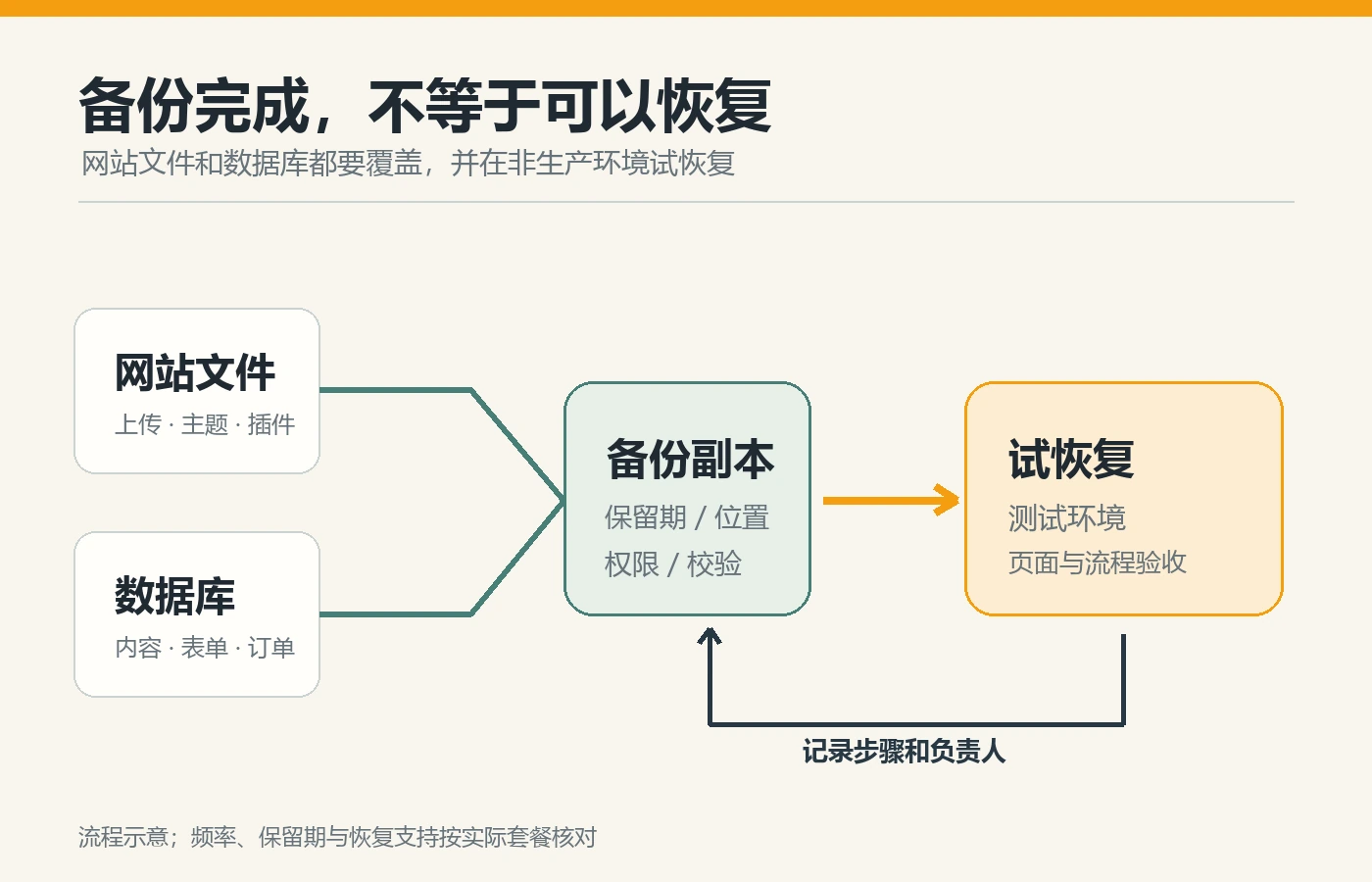
- Can the backup really be restored? Confirm the website files and database, backup cycle, storage time, and try recovery in the test environment; please refer to WordPress official backup instructions 。
- Is customer access smooth? Test the homepage, product pages, and forms from the main target countries; don’t just compare the computer room names displayed by the service provider.
- How to upgrade the website after it grows? Ask about resource limits, upgrade downtime, migration assistance and additional fees.
- Who will check and accept it after it goes online? Test the mobile page, customer inquiry notification and backup; if there is a mall, test the shopping cart and checkout.
If the speed is slow, you don’t necessarily need to change merchants immediately. Too large pictures, too many plug-ins and page scripts may also cause problems. Press first WordPress Speed Troubleshooting Order Find out why. For foreign trade websites, being able to receive customer inquiries normally is often more important than just looking at the speed test numbers on the homepage.
Conclusion: Choose management method first, then choose service provider
If you do not have full-time technical staff and want to launch a regular WordPress customer inquiry site as soon as possible, you can first compare the specific WordPress packages of Hostinger and GoDaddy; if you have clear deployment requirements and someone to maintain the server, then compare Vultr and Bricklayer. None of the four companies has a “quickest solution” suitable for all foreign trade websites. Use the same list of questions to review renewals, liabilities, backups, and the actual access experience of your target customers before making a decision. If you need help planning your website, migrating it, and accepting it online, you can refer to AIRSANG’s WordPress official website building service 。