











Aucun produit dans le panier.


If you’ve decided that Shopify is no longer the right platform for your online store, you’re not alone — many e-commerce owners reassess their tools as their business evolves. Whatever your reason for wanting to cancel your Shopify subscription and close your store, this guide breaks down exactly what that means, how to do it step-by-step, and what to think about before you click that final button.
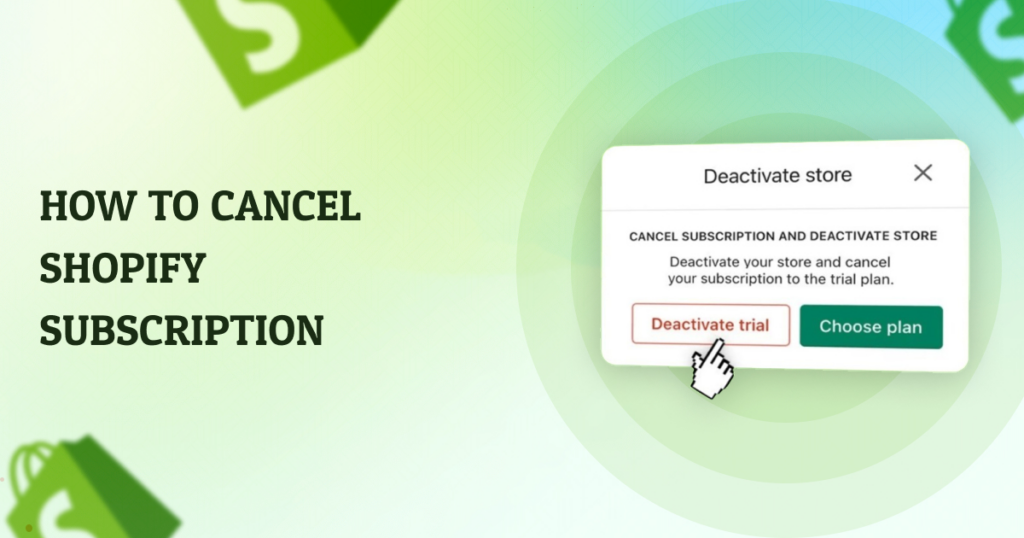
When people talk about canceling a Shopify subscription, they’re usually referring either to deactivating their entire store or simply stopping the monthly billing. These are related but slightly different actions:
Before you take action, it’s important to understand the implications. Shopify retains your store data for up to two years after deactivation, so you can reopen within that time without rebuilding from scratch. After two years, your store and its data may be removed.
If keeping any part of your store is important — like products, orders, customer lists, or images — export everything before canceling. Shopify won’t keep your data forever once the grace period passes. You can export product and order data as CSV files from your Shopify admin.
Many Shopify stores connect to third-party apps for marketing, shipping, subscriptions, and more. If you cancel your Shopify plan without uninstalling these apps, you could still be billed for them separately. Make sure to go to Apps in your admin panel and remove or downgrade any paid services.
If you used a custom domain instead of the default myshopify.com address, you might want to transfer it to another platform before your Shopify subscription ends. Domains purchased through Shopify can be transferred after 60 days, or removed if purchased elsewhere.
Especially if you’re closing your business or changing platforms, your customers deserve a heads-up. Send an email or post an announcement on social media and your website explaining changes so they aren’t surprised by sudden downtime.
Here is the basic process to cancel your Shopify monthly subscription and deactivate your store:
Tip: If you’re still in Shopify’s free trial and never started a paid plan, you may not need to take additional steps other than letting the trial expire.
Here’s what to expect once you finish canceling your Shopify subscription:
If you’re not fully sure that you want to leave Shopify forever, here are a few other options:
Instead of canceling, Shopify offers a low-cost Pause and Build plan that lets you access your admin and update content, but customers can’t check out. This is ideal if you’re redesigning your store or planning a relaunch.
For store owners who are taking a break — for seasonal business or personal reasons — Shopify sometimes lets you put a store into a sort of vacation mode so customers see a message but can’t buy products temporarily.
Deciding to cancel your Shopify subscription isn’t something to rush into. It affects your online presence, your data access, and your business continuity. Make sure you consider exporting your data, handling domains, disconnecting apps, and notifying customers before going forward. But when the time comes, Shopify makes canceling a clear process that you can complete from the admin dashboard.
If you’re thinking about canceling Shopify because you’re unhappy with your current store setup, or you want to migrate to another platform with better performance and design, we can help.
Au AIRSANG, we specialize in cross-border e-commerce solutions and professional website design that help brands grow globally. Whether you need help optimizing your current store, migrating platforms, or building a brand-new e-commerce site that converts, our team has the experience and creativity to support your vision. If you have questions about canceling Shopify or want to explore better alternatives, feel free to reach out — we’d love to help you take the next step in your e-commerce journey.


















