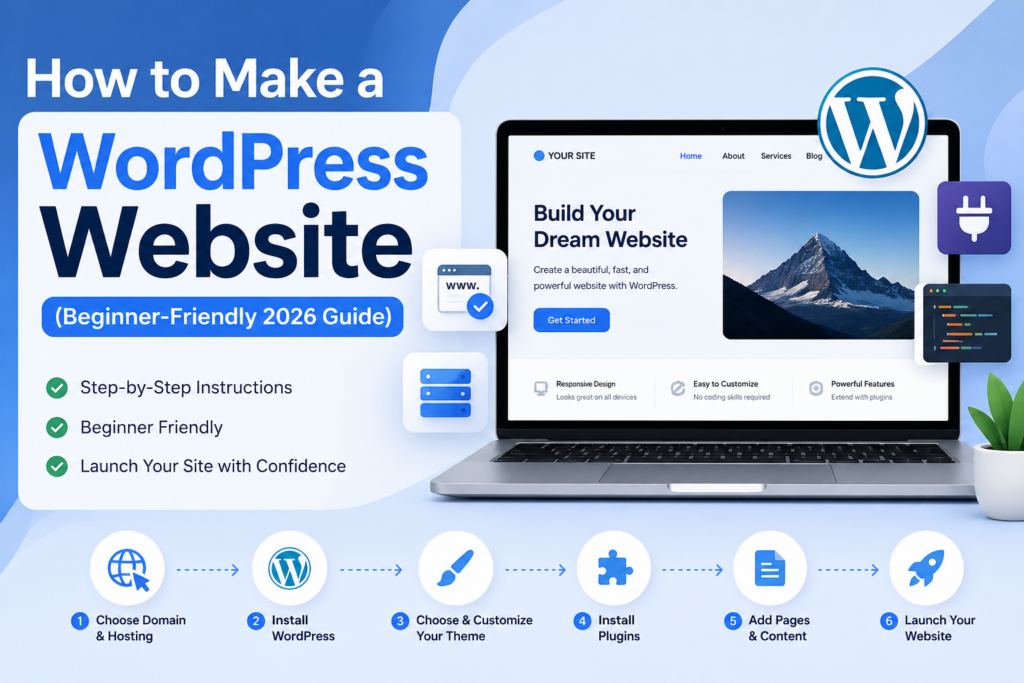
How to Make a WordPress Website (Beginner-Friendly 2026 Guide)

How to Make a WordPress Website (Beginner-Friendly 2026 Guide)

Introducción

If you’ve ever thought about building your own website, you’ve likely come across WordPress. Today, WordPress powers over 40% of all websites on the internet, making it one of the most popular and flexible platforms available. Whether you want to launch a blog, an online store, a portfolio, or a business site, learning how to make a WordPress website is a valuable skill.

This guide breaks down the entire process into clear, beginner-friendly steps. Instead of overwhelming you with technical jargon, it explains everything in a simple, educational way—so you can understand not just what to do, but why it matters.
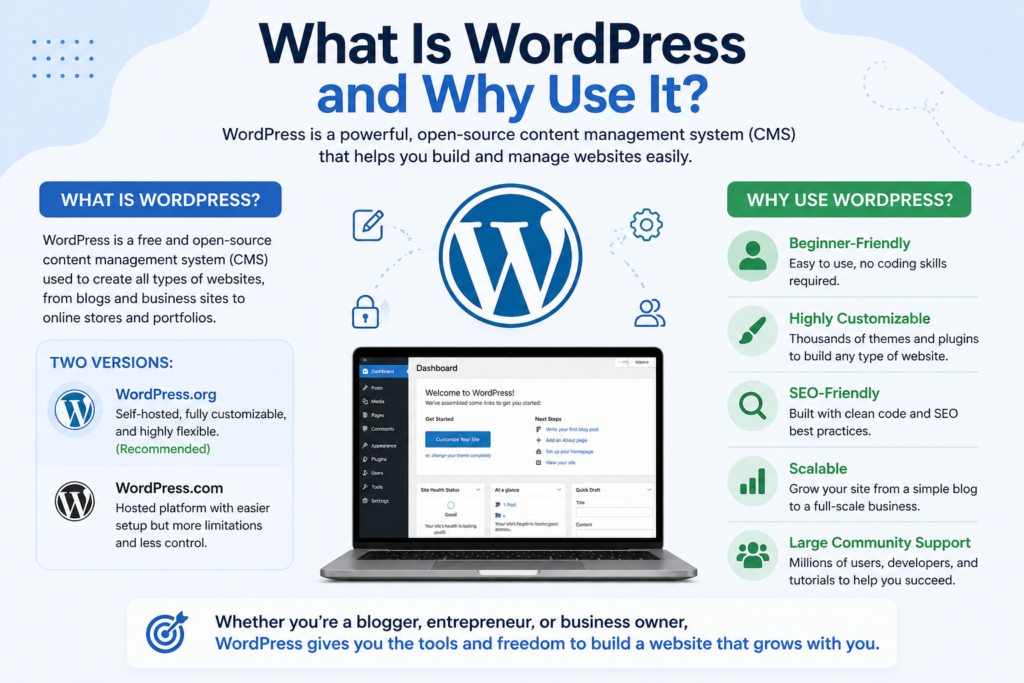
What Is WordPress and Why Use It?

How to Make a WordPress Website (Beginner-Friendly 2026 Guide)-What Is WordPress and Why Use It?

Before diving into the steps, it’s important to understand what WordPress actually is.

WordPress is a content management system (CMS). It allows you to create, manage, and publish content online without needing to write code. There are two versions:

  • WordPress.org – Self-hosted, fully customizable (recommended)
  • WordPress.com – Hosted platform with more limitations

For anyone serious about building a professional website, WordPress.org is the better choice. It gives you full control over design, functionality, and monetization.

Key Benefits of WordPress

  • Beginner-friendly interface
  • Thousands of themes and plugins
  • Estructura optimizada para SEO
  • Scalable for any type of website
  • Large global support community

Step 1: Choose a Domain Name and Hosting

The first step in learning how to make a WordPress website is securing your online identity.

What Is a Domain Name?

Your domain name is your website’s address (e.g., yoursite.com). It should be:

  • Easy to remember
  • Relevant to your brand or topic
  • Short and simple

What Is Web Hosting?

Hosting is where your website files are stored. A hosting provider makes your website accessible online.

What to Look for in a Hosting Provider

  • Fast loading speed
  • Strong uptime (99.9% or higher)
  • One-click WordPress installation
  • Good customer support

Many hosting providers offer bundled domain + hosting packages, making setup easier for beginners.

Step 2: Install WordPress

Once you have hosting, the next step is installing WordPress.

Most hosting platforms offer one-click installation, which simplifies the process:

  1. Log in to your hosting account
  2. Find the “Install WordPress” option
  3. Enter your site details (name, username, password)
  4. Click install

Within minutes, your WordPress website will be live.

Accessing Your Dashboard

After installation, you can log in via:

yourdomain.com/wp-admin

This is your control center where you manage everything.

Step 3: Understand the WordPress Dashboard

Before customizing your site, take a moment to explore the dashboard.

Key Sections

  • Posts – Blog articles
  • Pages – Static content (Home, About, Contact)
  • Appearance – Themes and design
  • Plugins – Add functionality
  • Settings – Site configuration

Understanding these sections helps you navigate WordPress efficiently.

Step 4: Choose and Customize a Theme

A theme controls how your website looks.

How to Choose a Theme

When selecting a theme, consider:

  • Diseño limpio y moderno
  • Capacidad de respuesta móvil
  • Fast loading speed
  • Customization options

You can browse free themes directly in WordPress or upload premium themes from third-party providers.

Installing a Theme

  1. Go to Appearance → Themes
  2. Click “Add New”
  3. Search or upload a theme
  4. Click “Install” and then “Activate”

Customizing Your Theme

Use the Customizer to adjust:

  • Bandera
  • Fuentes
  • Layout
  • Header and footer

This is where your website starts to reflect your brand identity.

Step 5: Install Essential Plugins

Plugins extend your website’s functionality.

What Are Plugins?

Plugins are like apps for your website. They allow you to add features without coding.

Must-Have Plugins for Beginners

  • SEO plugin – Improves search visibility
  • Security plugin – Protects your site
  • Backup plugin – Safeguards your data
  • Caching plugin – Speeds up loading time
  • Contact form plugin – Enables communication

How to Install Plugins

  1. Go to Plugins → Add New
  2. Search for a plugin
  3. Click “Install Now”
  4. Activate it

Be selective—too many plugins can slow down your site.

Step 6: Create Important Pages

A complete website includes essential pages that provide structure and clarity.

Core Pages to Build

  • Home – First impression of your site
  • About – Your story or brand background
  • Contact – How visitors reach you
  • Blog – Content and updates

Creating a Page

  1. Go to Pages → Add New
  2. Add a title and content
  3. Click “Publish”

You can use page builders for more advanced layouts if needed.
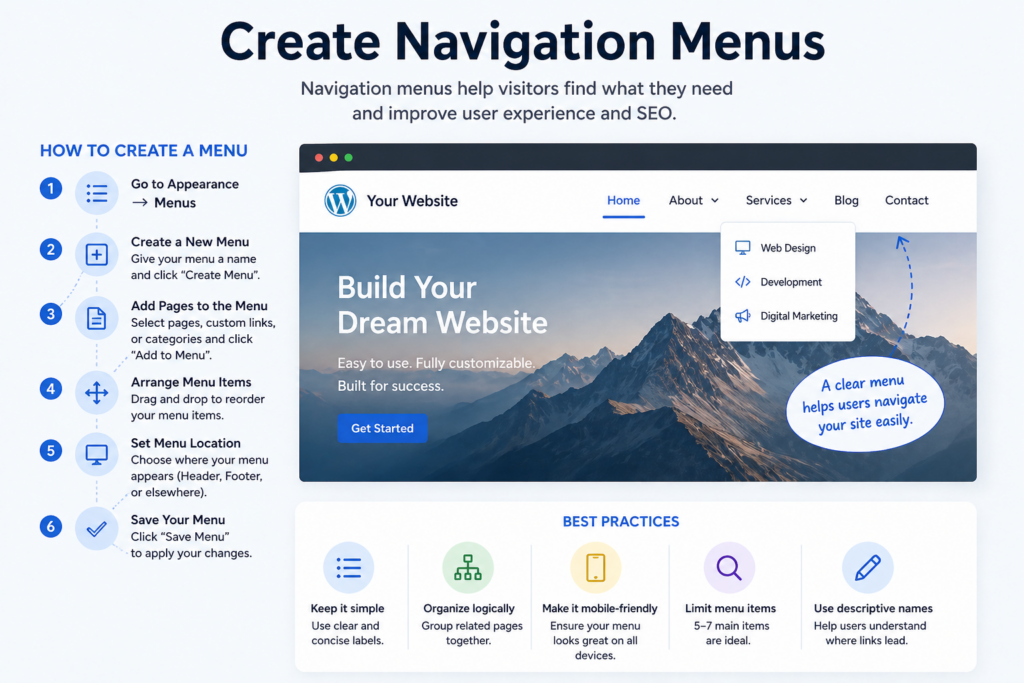
Step 7: Create Navigation Menus

How to Make a WordPress Website (Beginner-Friendly 2026 Guide)-Create Navigation Menus

Menus help users navigate your website easily.

How to Create a Menu

  1. Go to Appearance → Menus
  2. Create a new menu
  3. Add pages to the menu
  4. Assign it to a location (header/footer)

A clear navigation structure improves user experience and SEO.

Step 8: Add Content (Posts and Media)

Content is what brings your website to life.

Writing Blog Posts

  1. Go to Posts → Add New
  2. Add a title and content
  3. Use headings, images, and formatting
  4. Publish

Adding Images and Media

  • Upload high-quality images
  • Optimize file size for speed
  • Use descriptive filenames and alt text

Consistent content creation helps your website grow over time.
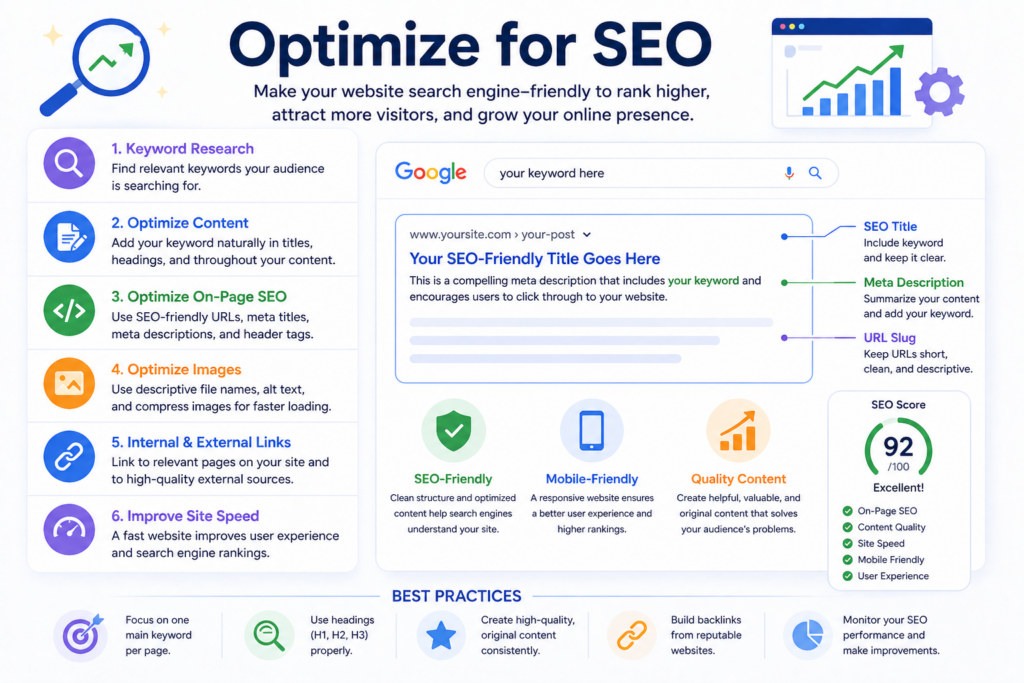
Step 9: Optimize for SEO

How to Make a WordPress Website (Beginner-Friendly 2026 Guide)-Optimize for SEO

If you want people to find your website, SEO is essential.

What Is SEO?

Search Engine Optimization (SEO) improves your visibility in search engines like Google.

Basic SEO Practices

  • Use your keyword “how to make a wordpress website” naturally
  • Write clear, descriptive titles
  • Use headings (H2, H3) for structure
  • Add meta descriptions
  • Optimize images

SEO is not a one-time task—it’s an ongoing process.

Step 10: Make Your Website Mobile-Friendly

Most users browse on mobile devices, so responsiveness is critical.

How to Ensure Mobile Optimization

  • Choose a responsive theme
  • Test your site on different devices
  • Keep layouts simple and clean
  • Avoid overly large images

A mobile-friendly site improves both user experience and search rankings.

Step 11: Improve Website Performance

Speed plays a major role in user satisfaction.

Tips to Boost Performance

  • Use caching plugins
  • Compress images
  • Choose fast hosting
  • Limit unnecessary plugins

A fast website keeps visitors engaged and reduces bounce rates.

Step 12: Secure Your Website

Security is often overlooked but extremely important.

Basic Security Measures

  • Use strong passwords
  • Install a security plugin
  • Keep WordPress updated
  • Enable backups

These steps help protect your website from threats and data loss.

Step 13: Launch Your Website

Once everything is ready, it’s time to go live.

Final Checklist Before Launch

  • Test all pages and links
  • Check mobile responsiveness
  • Review content for errors
  • Optimize loading speed

After launching, your website is accessible to the world.

Errores comunes que se deben evitar

When learning how to make a WordPress website, beginners often make these mistakes:

  • Choosing the wrong hosting provider
  • Installing too many plugins
  • Ignoring SEO basics
  • Using low-quality themes
  • Not backing up the site

Avoiding these pitfalls will save time and effort.

How Long Does It Take to Build a WordPress Website?

The timeline depends on your goals:

  • Basic website: a few hours to a day
  • Business website: several days
  • Advanced website: weeks

The more you customize, the longer it takes—but also the better the result.

Reflexiones finales

Learning how to make a WordPress website doesn’t have to be complicated. By following a structured process—choosing a domain, setting up hosting, installing WordPress, customizing your design, and adding content—you can build a fully functional website step by step.

WordPress gives you the flexibility to grow, adapt, and improve your site over time. The key is to start simple, focus on clarity and usability, and continuously optimize your website as you gain experience.

FAQ

1. How long does it take to make a WordPress website?

It depends on the complexity. A simple website can be built in a few hours, while a more customized site may take several days or weeks.

2. Do I need coding skills to create a WordPress website?

No, WordPress is beginner-friendly and does not require coding knowledge. You can build and customize your site using themes and plugins.

3. What is the difference between WordPress.org and WordPress.com?

WordPress.org is self-hosted and fully customizable, while WordPress.com is a hosted platform with more limitations and less control.

4. How much does it cost to make a WordPress website?

Costs vary depending on hosting, domain, and premium features. A basic site can start as low as $50–$100 per year, while advanced sites cost more.

5. Which plugins are essential for a WordPress website?

Key plugins include SEO tools, security plugins, backup solutions, caching tools, and contact form plugins to improve functionality and performance.

6. How can I improve SEO for my WordPress website?

Use relevant keywords, optimize titles and meta descriptions, improve site speed, create high-quality content, and ensure your site is mobile-friendly.


Entregado en todo el mundo

AIRSANG ofrece soluciones rentables de diseño web, identidad visual de marca y comercio electrónico. Desde Shopify y WordPress hasta imágenes de productos de Amazon, ayudamos a las marcas globales a construir, elevar y hacer crecer su negocio en línea.

Diseñar y construir un sitio web WordPress o sitio corporativo con un sistema completo de comercio electrónico para usted.

Diseñar y construir un sitio web WordPress o sitio corporativo con un sistema completo de comercio electrónico para usted.

Rango de precios: desde $200.00 hasta $2,500.00
Requisitos personalizados o presupuestos especiales

Requisitos personalizados o presupuestos especiales

El precio original era: $2.00.El precio actual es: $1.00.

¿Listo para transformar su empresa?

Reserve una llamada para obtener más información sobre cómo nuestra agencia de marketing digital puede llevar su negocio al siguiente nivel.