Keine Produkte im Warenkorb.

Wie Hacker WordPress-Admin-E-Mails stehlen (und wie man sie daran hindern kann)

Let’s start with an uncomfortable truth:

Your WordPress admin email is probably way more public than you think.
And hackers? They love that.

To them, your admin email isn’t just an inbox. It’s a key—one that unlocks spam attacks, phishing attempts, brute-force logins, and the occasional “Reset Password” disaster at 3 a.m.

If you run a WordPress site, knowing how hackers find admin emails—and how to shut those doors—is basic survival.
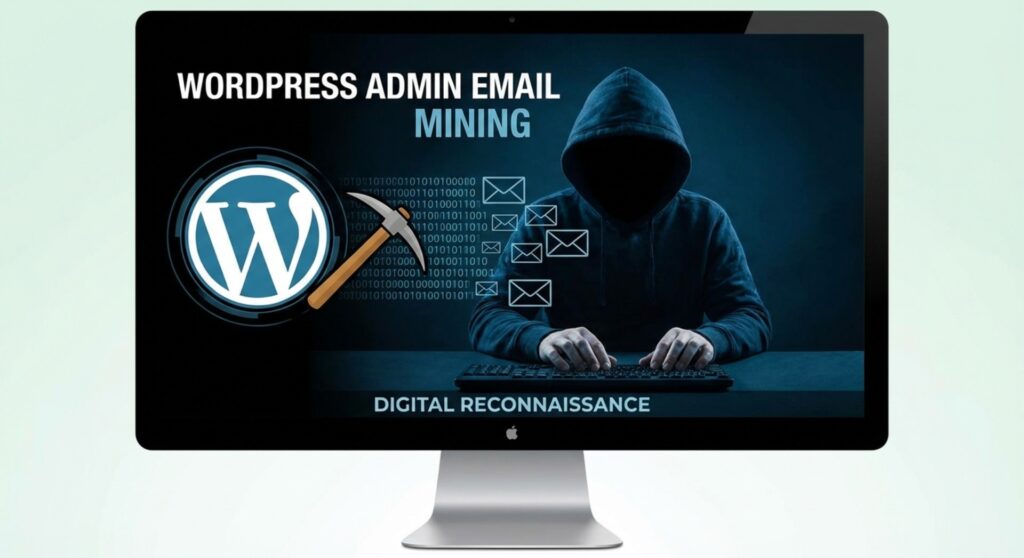

Wie Hacker WordPress-Admin-E-Mails stehlen (und wie man sie daran hindern kann)

Why Hackers Obsess Over Your Admin Email

How Hackers Steal WordPress Admin Emails (And How to Stop Them)-Why Hackers Obsess Over Your Admin Email

Hackers don’t wake up thinking, “Today I’ll admire website design.”
They wake up thinking, “What can I break?”

Your admin email helps them do exactly that:

  • Credential stuffing
    Got leaked passwords somewhere on the internet? Hackers will try them here.
  • Phishing
    Fake “WordPress security alert” emails hit harder when sent to the real admin.
  • Spam & malware
    Once your email is known, enjoy the digital junk mail.
  • Account takeover attempts
    Password reset emails are powerful tools—in the wrong hands.

In short: if they know your admin email, you’re already on their radar.
How Hackers Actually Find WordPress Admin Emails

How Hackers Steal WordPress Admin Emails (And How to Stop Them)-How Hackers Actually Find WordPress Admin Emails

No magic. No Hollywood hacking scenes. Mostly just laziness… automated very efficiently.

1. Author Pages: The Accidental Overshare

WordPress helpfully creates author pages like:

yoursite.com/author/username

Sounds harmless. But:

  • Many themes show author info publicly
  • Gravatar images are tied to emails
  • Usernames can be cross-checked with breach databases

Congrats—your blog bio just joined the dark web scouting list.

2. Comment Sections: Loose Lips Sink Sites

Comments can quietly leak more than opinions.

  • Some themes output hidden metadata
  • Old plugins accidentally expose emails in HTML
  • Hackers love “View Source” more than coffee

If comments aren’t locked down, they become information vending machines.

3. Contact Pages: The Internet’s Favorite Buffet

That friendly “Contact us at [email protected]”?

Bots see it as:
“FREE TARGET ACQUIRED.”

Even clever disguises like “admin [at] site [dot] com” don’t always help. Bots are smarter than we wish they were.

4. REST API: Helpful for Developers, Helpful for Hackers Too

The WordPress REST API can expose:

  • Usernames
  • Gravatar hashes
  • Public user data

And from a Gravatar hash, hackers sometimes reverse-engineer the email.

Not ideal.

5. XML-RPC: The Side Door Nobody Locked

XML-RPC doesn’t leak emails directly—but once hackers have your email, it becomes their favorite attack route.

Think automated login attempts. Thousands of them. Very fast.

6. Themes & Plugins: The Weakest Link

Outdated plugins and poorly coded themes can:

  • Leak emails in templates
  • Expose admin data in error logs
  • Dump user tables if exploited

Hackers scan versions first. Exploit second. Sleep never.

How to Keep Hackers Away From Your Admin Email

Good news: you don’t need paranoia—just smart setup.

1. Stop Posting as Admin (Seriously)

Create a separate Author or Editor account for public content.

  • Generic name
  • Generic email
  • Admin stays invisible

Your admin account should be boring, private, and rarely used.

2. Lock Down the REST API

If you don’t need it publicly, restrict it.

  • Limit access to logged-in users
  • Or disable exposed endpoints

Less data = less trouble.

3. Kill or Hide Author Archives

If you don’t need /author/username pages:

  • Noindex or disable them via SEO plugins
  • Redirect them to homepage
  • Pretend they never existed

Hackers won’t miss what they can’t find.

4. Clean Up Comment Settings

  • Don’t expose emails in markup
  • Use secure anti-spam plugins
  • Keep comment data private

Your comment section should spark discussion—not data leaks.

5. Ditch Public Emails, Use Forms

If users must contact you:

  • Use contact forms
  • Obfuscate emails with JavaScript
  • Never show admin emails in footers

Forms don’t get scraped. Emails do.

6. Disable XML-RPC (If You Can)

If you’re not using it:

  • Turn it off
  • Or restrict it hard

One less attack vector. Zero regrets.

7. Update Everything. Always.

Most leaks happen through:

  • Old plugins
  • Abandoned themes
  • Ignored WordPress updates

If you’re not using something—delete it.
Digital clutter attracts digital criminals.

8. Use a Real Security Plugin

Good security plugins don’t just block attacks—they stop information leaks.

  • Bot detection
  • API abuse protection
  • Login monitoring

Think of them as bouncers for your website.

Final Thoughts: Privacy Is a Performance Feature

Protecting your WordPress admin email isn’t “extra security.”
It’s basic hygiene.

Hackers rely on lazy defaults.
You win by being slightly smarter than default.

Unter AIRSANG, this mindset is baked into everything we do.
We specialize in cross-border eCommerce, WordPress & Shopify website design, and long-term site stability—not just visuals that look good on launch day.

If you’re building a global site, redesigning an online store, or tightening security before scaling, we’d love to help.
We don’t just design websites—we design systems that grow safely.

Follow AIRSANG for more practical insights on web design, performance, and cross-border growth.

Weltweiter Versand

AIRSANG bietet kostengünstiges Webdesign, visuelle Markenidentität und E-Commerce-Lösungen. Von Shopify und WordPress bis hin zu Amazon-Produktbildern, Wir helfen globalen Marken dabei, ihr Online-Geschäft aufzubauen, zu verbessern und auszubauen.

Wir entwerfen und erstellen für Sie eine WordPress-Website oder eine Unternehmensseite mit einem vollständigen eCommerce-System.
Individuelle Anforderungen oder spezielle Angebote

Individuelle Anforderungen oder spezielle Angebote

Der ursprüngliche Preis betrug: $2.00.Der aktuelle Preis beträgt: $1.00.

Sind Sie bereit, Ihr Unternehmen zu verändern?

Rufen Sie uns an, um mehr darüber zu erfahren, wie unsere Agentur für digitales Marketing Ihr Unternehmen auf die nächste Stufe heben kann.