










Should a website design company offer Elementor editable pages? ? Usually it should, but the editable range and maintenance responsibilities need to be agreed upon.
Should a website design company deliver Elementor editable pages? Let’s first see who is responsible for daily updates
If the company’s website needs to frequently change event copy, service introductions, pictures or button links after it goes online, it is reasonable to ask the design company to deliver pages that can be maintained in Elementor. In this way, operators can modify the content within the agreed range without having to wait for developers to change the code every time. But “editable” is not an automatic promise: the same page may contain regular widgets, site-wide templates, dynamic fields, and custom code, all of which are maintained differently.
Before deciding on purchasing requirements, write down who will update the page in the next six months, how often, and what changes will be made. Just changing the title and picture, and rearranging the entire page structure require different permissions, training and risk control. Ask the design company to specify “can be changed by yourself” to pages, modules, fields and roles, and then write the demonstration and acceptance methods into the delivery list. This makes it easier to obtain usable results than generally requiring “visualization of the entire site”.
“Editable” has at least three levels
Level 1: Update existing content
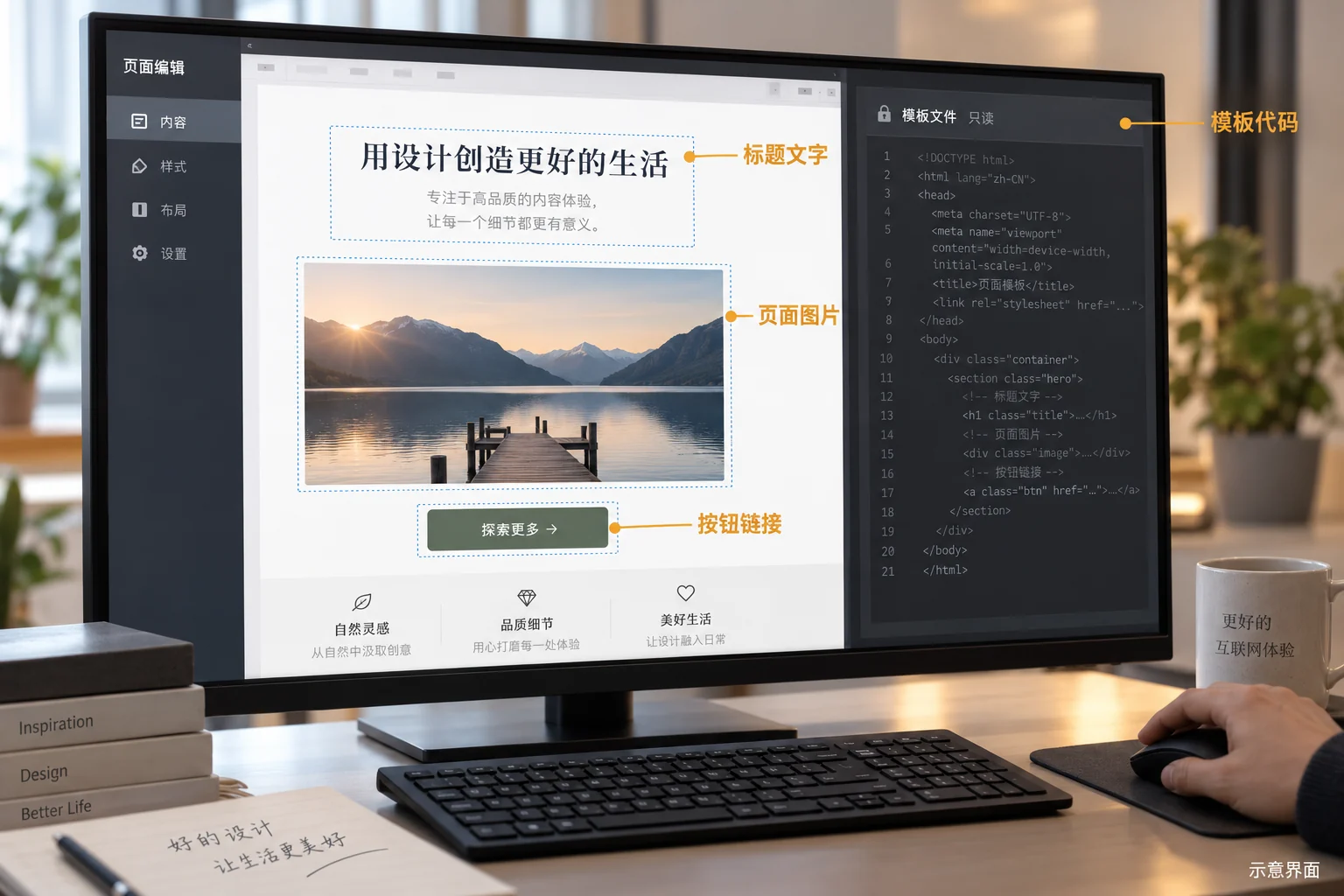
Common Elementor pages will put the title, body text, pictures and button links in the content control of the gadget. Operators only need to modify existing fields without changing the module structure. Elementor official control description Divide gadgets into content, style and advanced settings: content is used for text, pictures and links, style adjusts colors and fonts, and advanced settings involve layout and behavior. Actual projects should let customers know which controls are allowed for daily use to avoid a small change from accidentally changing the entire site’s vision.
Second level: Adjust page style and layout
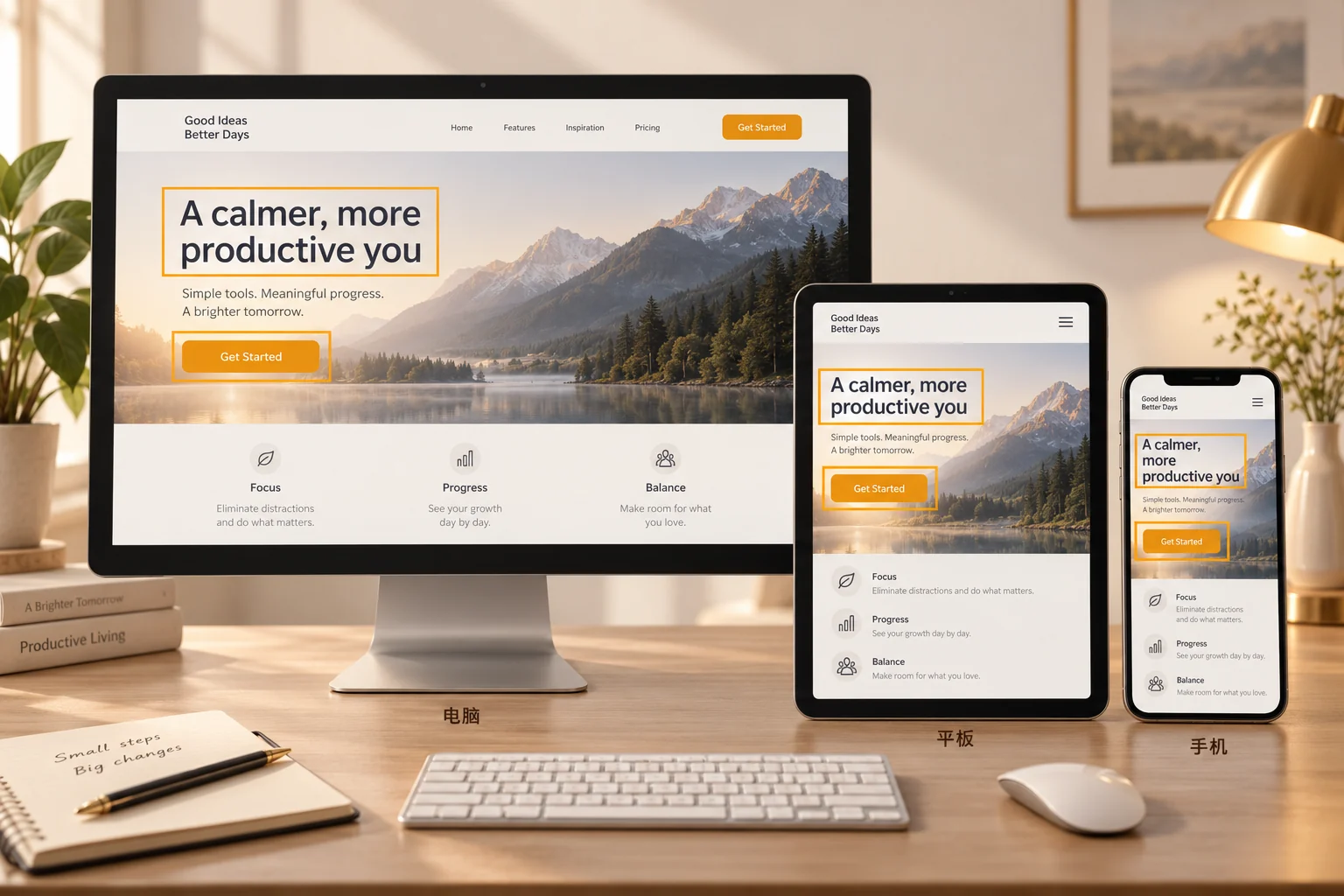
Changing the font size, spacing, column width or card arrangement has entered the scope of design maintenance. Elementor supports adjusting some responsive settings by device, but whether it can be modified separately on computers, tablets, and mobile phones still depends on the editor version, control implementation, and delivery configuration used by the element. During acceptance, you need to personally modify a test value and preview it in three viewports, instead of just watching the developer’s demonstration video. For styles that are reused throughout the site, you should also confirm whether the change will affect one page or all related pages.
The third layer: maintaining templates, data and custom functions
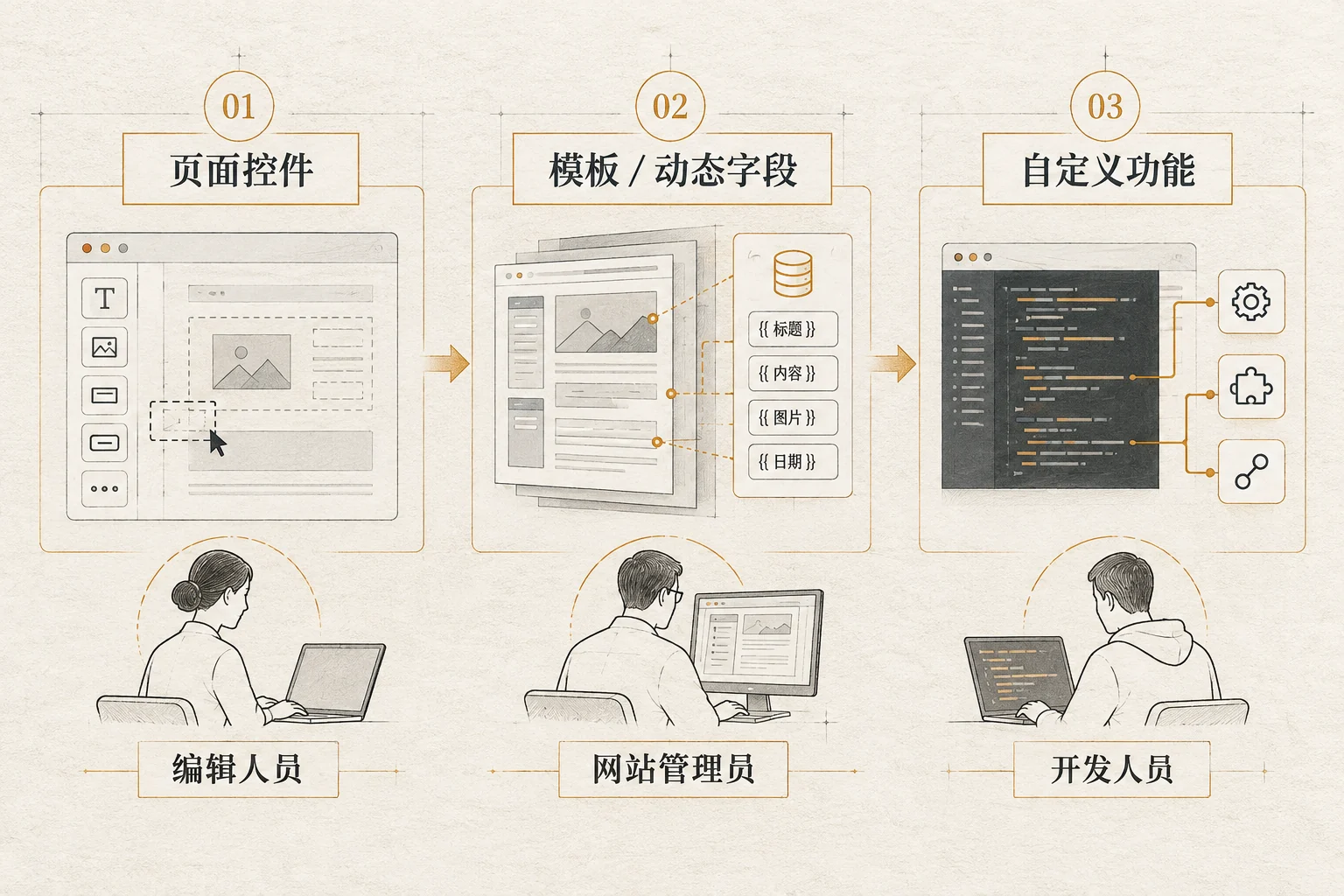
Product templates, article templates, dynamic fields, form logic or customized widgets may not be completed by changing the current page. Dynamic content description for Elementor Note that page components can read data from WordPress pages, posts, or custom fields; sometimes the correct entry point for modification is in the content record or field, not the page canvas. If a block is generated by custom PHP, shortcodes, third-party plug-ins, or external data, the so-called “Elementor editable” may only cover its peripheral copy and styles. The deliverer needs to indicate the source code, plug-in and template dependencies, and which changes require technical personnel to handle.
How to choose among three delivery methods
| Compare dimensions | Only deliver fixed pages | Elementor content is editable | Elementor structure and styles are editable |
|---|---|---|---|
| Suitable for whom | The page rarely changes and has developers and maintainers | Operations frequently change text, pictures, and links. | There is an internal designer/website administrator who often changes the layout. |
| Delivery focus | Source code and maintenance instructions | Field list, permissions, operation demonstration | Component rules, reactivity, versioning and rollback |
| Main risks | Each modification may depend on the development schedule | You can change the words, but you can’t change the structure or dynamic data. | Permissions are too wide, template or mobile layout is changed by mistake |
This table is a purchasing decision framework, not an Elementor plan feature commitment. Teams that only need to update content do not necessarily have to open all design controls to every editor; teams that want to refactor pages independently are responsible for training, component specifications, and rollbacks. Please select permissions based on real usage scenarios, and do not regard “being able to open the Elementor editor” as proof of completion of delivery.

How to write a list of requirements that can be accepted before delivery
List page and modification boundaries for each module
Before starting the project, make a list of the home page, service page, product page, contact page, etc.; mark each page’s title, pictures, cards, buttons, tables, forms, headers and footers as to whether they need to be modified by the customer. For example, the home page Hero can require “operate replaceable main title, description, main product image and button links; layout and site-wide fonts are maintained by the design administrator.” If you want to prepare complete pages and materials, you can first refer to the Website Design Requirements Checklist , and then add the required editing permissions to the contract attachment.
Forms, filters, orders, members, and multilingual content should be listed in separate columns. These functions may be hosted by WordPress, plug-ins, or external services. Just because the page is designed with Elementor does not mean that the customer can maintain its business logic on its own. Please indicate where the data is stored, who can modify it, and who will troubleshoot errors if they occur.
Define editors, reviewers and administrators separately
WordPress official permissions document Operations such as page editing, media uploading, and theme setting are distinguished according to roles and specific capabilities; Elementor’s role management can also restrict users to only edit existing content. A common approach is to give daily editors sufficient text and image permissions, leaving template and plug-in settings to administrators. Don’t give everyone an admin account just to save trouble. During acceptance, log in with the real delivery role to test whether you can modify the agreed content, and also check whether you can enter the setting area that should not be open.
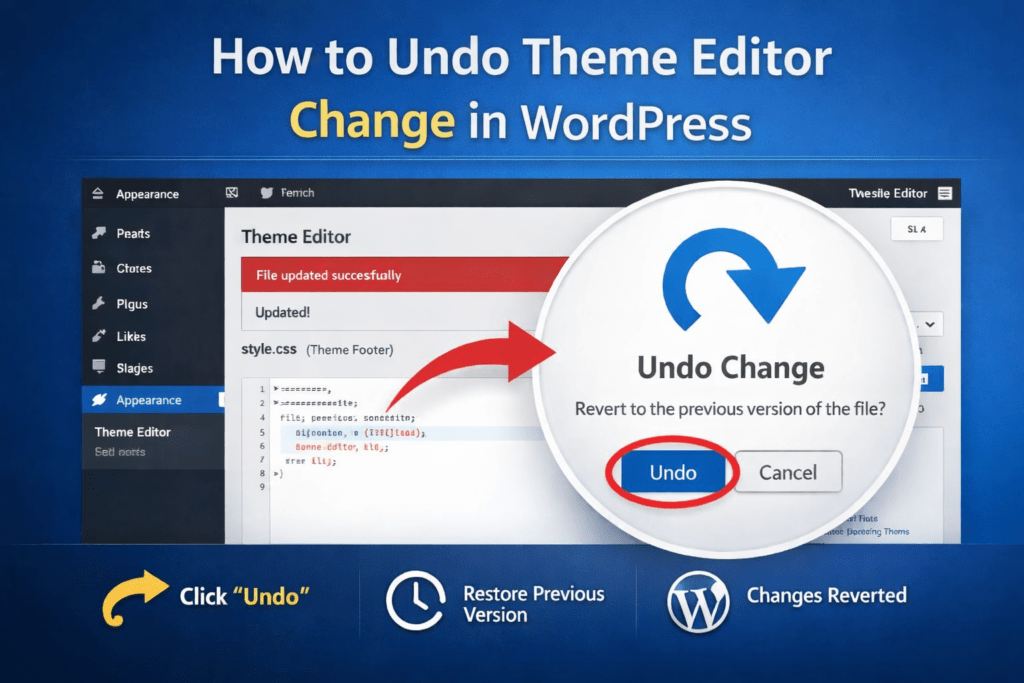
Permissions should be aligned with the publishing process: who can save drafts first, who checks branding and links, and who publishes ultimately? If page changes will directly affect the landing page where ads are being served, there must be at least preview, review and rollback arrangements. Elementor’s revision history can help restore saved versions, but teams should still keep backups and agree on who is responsible, rather than relying on history as the only backup solution.
Test your computers, tablets and phones with real changes
Ask the customer representative to complete four things on site: replace a picture, change a service text, update a button link, and check the line breaks and click areas in the mobile preview. Then check the computer, tablet, and mobile phone respectively to confirm that the changes do not block, overflow, or damage other modules. If the page has double columns, tabs, or complex cards, you should also test longer Chinese copy and images of different sizes. Elementor’s containers can be arranged according to breakpoints, but whether the project components actually expose relevant controls needs to be tested on the page.
It is best to record the “before editing – after editing” screenshots and operation paths at the same time for acceptance. For example, “Page → Edit with Elementor → Select Service Card → Content → Title” and explain the image size, recommended word count, and button link format. In this way, new operators can repeat the operation when they take over, without having to guess which areas can be clicked. If readers are still sorting out the ongoing maintenance work of the site, they can cooperate with the site’s Enterprise website development platform selection guide Check the team’s ongoing maintenance capabilities.
What should be at least clearly stated in the delivery document?
Delivery of editable pages does not end with sending the backend account to the customer. It is recommended that the document at least include page and module lists, editing roles and permissions, plug-ins and authorization dependencies, examples of changeable fields, three-end inspection methods, backup and rollback processes, and follow-up problem responders. For dynamic content, a simple diagram of “Data Source → Page Template → Foreground Display” must be attached; for customized gadgets, it must be stated which parameters have been made into controls and which ones are still written in the code.
It is also necessary to give the maintenance team a boundary judgment: regular copywriting and image replacement are completed by internal operations; adding complex modules, modifying form logic, or troubleshooting plug-in conflicts are left to the design company or technical personnel. The purchaser can agree on the number of trainings and problem response methods after delivery, but do not infer the specific scope based on the words “free maintenance”. If the modification will affect the SEO title, page link or important conversion path, it should be reviewed by someone who understands the relevant business before publishing.
Conclusion: It should be editable, but the scope should be written so that it can be personally accepted.
For most businesses that need to continually update their content, it’s worth asking a website design company to provide a range of Elementor editable pages. The most practical delivery method is to allow operations personnel to safely change commonly used copywriting, images, and links, while letting design or technical personnel continue to be responsible for templates, complex logic, and compatibility. There is no need to sacrifice page stability for “fully editable”, nor should you accept a backend that can only be viewed and cannot be modified as agreed.
Next, please list the three most frequently changed pages and ten fields, and then ask the design company to use the delivery role to demonstrate on-site, record the results on computers, tablets, and mobile phones, and write maintenance instructions for areas that cannot be modified by yourself. In this way, “editable” changes from a marketing statement to a verifiable delivery standard.