Giỏ hàng hiện không có sản phẩm nào.

Vô hiệu hóa Shopify Việc đóng cửa hàng không phức tạp, nhưng nó đi kèm với những hậu quả mà nhiều người bán thường bỏ qua. Hướng dẫn này sẽ phân tích quy trình một cách đơn giản và dễ hiểu — để bạn biết chính xác điều gì xảy ra trước, trong và sau khi đóng cửa hàng.
Khi bạn vô hiệu hóa Shopify Bạn đang hủy đăng ký cửa hàng. Cửa hàng sẽ tự động đóng cửa vào cuối chu kỳ thanh toán hiện tại và giao diện cửa hàng của bạn sẽ ngoại tuyến. Bạn sẽ không thể truy cập vào trang quản trị Shopify trừ khi bạn kích hoạt lại cửa hàng bằng phương thức thanh toán hợp lệ.
Quan trọng: Bộ phận hỗ trợ Shopify không thể vô hiệu hóa cửa hàng của bạn. Chỉ chủ cửa hàng mới có thể thực hiện việc này từ bảng quản trị.
Hãy coi việc vô hiệu hóa như việc nhấn "tạm dừng kèm theo hậu quả". Sau đây là những điều cần cân nhắc trước tiên:
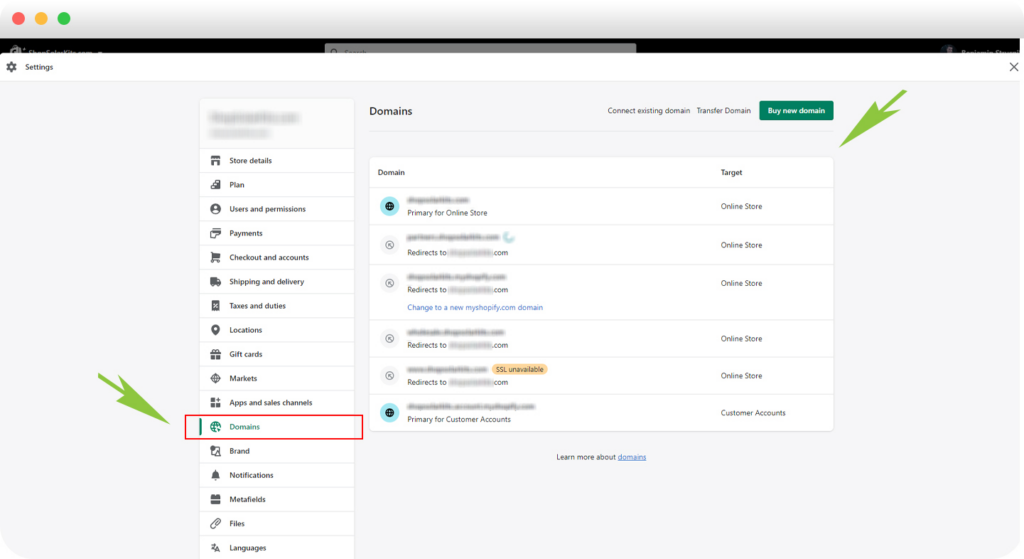
Mỗi myshopify.com Tên miền là duy nhất. Sau khi bị vô hiệu hóa, bạn không thể sử dụng lại URL đó nữa—ngay cả khi bạn mở lại cửa hàng với cùng tên thương hiệu sau này.
Xuất các thông tin quan trọng như:
Xuất file CSV là "lưới an toàn" của bạn.
Nếu bạn đã mua một giao diện trả phí, hãy tải xuống bản sao lưu. Giấy phép giao diện chỉ áp dụng cho cửa hàng gốc, nhưng Shopify Đôi khi bộ phận hỗ trợ có thể giúp chuyển giấy phép sang một cửa hàng khác mà bạn sở hữu.
Ngay cả sau khi vô hiệu hóa:
Bạn sẽ nhận được email xác nhận sau khi cửa hàng bị vô hiệu hóa.
Người dùng Shopify Plus: Bạn cần liên hệ với bộ phận hỗ trợ Shopify Plus để hủy kích hoạt.
Nếu bạn muốn dữ liệu khách hàng của mình được xóa sớm hơn, bạn có thể gửi yêu cầu xóa dữ liệu chính thức.
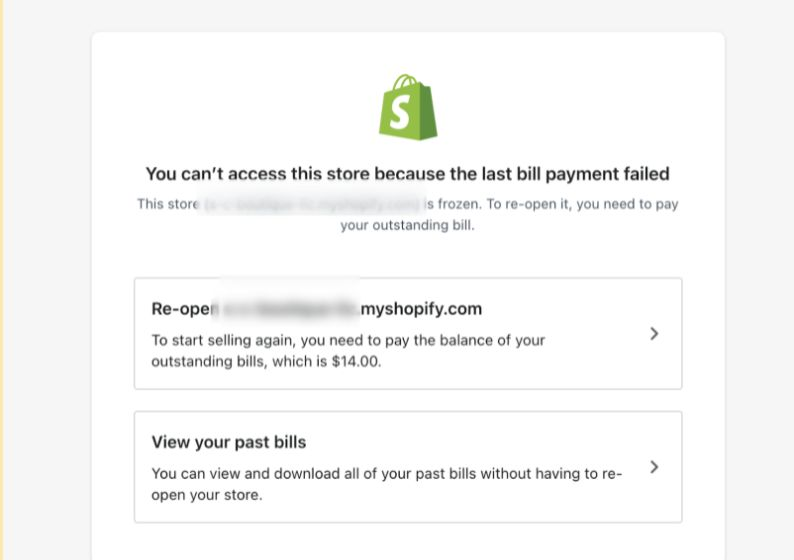
Việc mở cửa trở lại rất đơn giản:
Cửa hàng của bạn sẽ được khôi phục y hệt như trước.
Vô hiệu hóa Shopify Việc xây dựng cửa hàng trực tuyến không chỉ là một bước kỹ thuật mà còn là một quyết định kinh doanh ảnh hưởng đến thương hiệu, tên miền, lòng tin của khách hàng và khả năng mở rộng trong tương lai. Hiểu rõ những chi tiết này giúp bạn tránh được những sai lầm tốn kém.
Nếu bạn đang điều hành một doanh nghiệp thương mại điện tử xuyên biên giới, lên kế hoạch chuyển đổi cửa hàng hoặc đang cân nhắc thiết kế lại hoặc tái cấu trúc trang web Shopify của mình, thì chiến lược chính là yếu tố quan trọng.
Tại AIRSANG, Chúng tôi chuyên cung cấp các giải pháp thương mại điện tử xuyên biên giới và thiết kế website tập trung vào chuyển đổi. Nếu bạn đang lên kế hoạch cho bước đi tiếp theo—hoặc sự trở lại của mình—hãy theo dõi chúng tôi hoặc liên hệ. Chúng tôi xây dựng các cửa hàng trực tuyến với tầm nhìn hướng đến tương lai.