











В корзине нет товаров.

WordPress powers more than 40% of all websites on the internet. From personal blogs to large e-commerce platforms, millions of businesses rely on it every day.
But despite its popularity and flexibility, WordPress can sometimes feel confusing—especially when something goes wrong. A plugin conflict might break your layout, a theme update might change your design, or you might see an unexpected error message on your website.
When this happens, many users search online for WordPress help but quickly realize something important: WordPress itself does not operate like traditional software with a single centralized support team.
So where exactly can you get help when you need it?
In this guide, we’ll explain how WordPress support works, where you can find reliable help, and which resources are best depending on the type of problem you’re facing.
Before looking for help, it’s important to understand how the WordPress ecosystem works.
WordPress is an open-source platform, which means the software is developed and maintained by a global community rather than a single company. Because of this structure, support does not come from one central place.
Instead, WordPress help is available through several different channels, including:
Each of these sources specializes in a different type of problem. Understanding where to look can save you a lot of time when troubleshooting an issue.
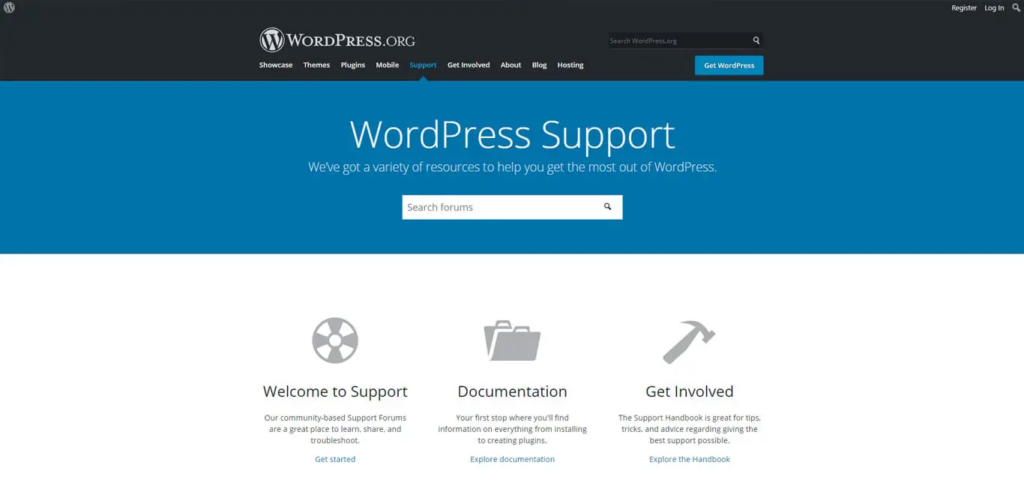
One of the most popular places to find WordPress help is the official WordPress.org support forum.
These forums are maintained by the WordPress community and include thousands of discussions covering common issues such as:
Because WordPress is widely used, chances are that someone else has already experienced the same problem you’re facing.
Users can search existing discussions or create a new post describing their issue. Volunteers from the community—including experienced developers—often reply with solutions or troubleshooting advice.
Because the forum is community-driven, responses may take time and are not guaranteed. For urgent business websites, relying solely on forum responses may not be the fastest solution.
Another valuable source of WordPress help is the official WordPress documentation, often referred to as the WordPress Codex or developer documentation.
These resources provide detailed explanations of:
For beginners, the documentation can feel technical, but it is extremely helpful when you need step-by-step instructions.
Additionally, many educational websites and tutorials provide simplified explanations of WordPress features, making it easier for new users to learn how the platform works.
Your hosting company plays a major role in your WordPress website’s performance and stability. Because of this, many hosting providers offer WordPress-specific support.
If your website experiences issues such as:
your hosting provider is often the best place to start.
Most managed WordPress hosting companies have support teams trained specifically to help with WordPress-related technical issues.
Hosting support typically helps with:
However, they may not assist with design or advanced customization tasks.
Plugins are one of the most powerful features of WordPress. They allow you to add almost any functionality—from SEO optimization to e-commerce tools.
However, plugins are also one of the most common sources of website problems.
If a plugin causes errors, the best place to seek WordPress help is often the plugin developer’s support channel.
Most plugins offer support through:
When contacting plugin developers, it helps to provide detailed information such as:
The more information you provide, the easier it is for developers to diagnose the problem.
Themes control the visual appearance of your WordPress website. If your site layout suddenly changes or design elements stop working, the issue might be related to your theme.
Most premium WordPress themes include customer support from the developer.
Theme support typically helps with:
However, many theme developers only support features included in their product and may not help with extensive custom modifications.
For business websites, sometimes the fastest and most reliable WordPress help comes from hiring professionals.
Experienced WordPress designers and developers can assist with tasks such as:
This option is particularly helpful when your website directly impacts revenue, such as e-commerce stores or lead generation websites.
Instead of spending hours troubleshooting issues yourself, professionals can quickly identify the root cause and implement a solution.
Beyond official forums, there are many online communities where users share WordPress help and advice.
Popular places include:
These communities allow users to exchange ideas, troubleshoot issues, and discuss best practices.
While community groups can be helpful, the quality of advice may vary depending on who responds.
Even with access to multiple support resources, learning some basic troubleshooting skills can save you time.
Here are a few simple steps many professionals use when diagnosing WordPress problems:
If something stops working after installing a plugin, try disabling plugins one by one to identify the conflict.
Sometimes themes cause compatibility issues. Temporarily switching to a default WordPress theme can help isolate the problem.
Outdated plugins, themes, or WordPress versions often cause errors.
WordPress has a built-in debugging feature that helps identify technical issues.
Learning these basic troubleshooting steps can often resolve smaller problems quickly without needing outside help.

While WordPress is designed to be user-friendly, running a professional website involves more than installing themes and plugins.
Businesses today rely on their websites for:
Because of this, website design, performance, and user experience become critical factors.
A poorly designed or slow website can negatively affect search rankings, conversion rates, and overall brand perception.
That’s why many companies choose to work with experienced WordPress designers who understand both technical functionality and marketing strategy.
Finding the right WordPress help depends on the type of issue you are facing.
For simple questions, community forums and documentation can often provide answers. Hosting providers can help with server-related issues, while plugin and theme developers handle product-specific problems.
However, when it comes to building a high-performing website that attracts visitors and converts them into customers, professional support often becomes the most efficient solution.
На сайте АИРСАНГ, we specialize in helping brands build and improve websites for global markets. Our team focuses on website design, user experience optimization, and cross-border e-commerce website solutions.
Whether you are launching a new online store or improving an existing WordPress site, the right design strategy can make a significant difference in how customers interact with your brand.
If you’re currently searching for reliable WordPress help or planning to upgrade your website design, АИРСАНГ is always ready to assist you in creating a website that looks professional, performs smoothly, and supports your business growth.


















