











В корзине нет товаров.

In today’s digital world, websites are no longer limited to static images and simple product photos. Users expect immersive and interactive experiences that help them understand products, places, and services more intuitively. One of the most effective ways to achieve this is through 360-degree panoramic viewing technology.
For businesses such as real estate agencies, travel companies, hotels, museums, and e-commerce brands, allowing visitors to explore environments or products in a full panoramic view can dramatically improve engagement and trust. Instead of just showing a few photos, you can let visitors “step inside” the scene and explore every angle.
This is where a WordPress website plugin for 360 panorama viewer becomes incredibly useful. With the right plugin, even beginners can integrate immersive panoramic displays directly into their WordPress site—without advanced coding knowledge.
In this guide, we will explore how 360 panorama plugins work, why they are valuable for websites, and some of the most popular WordPress plugins that allow you to create interactive panoramic experiences.

A 360 panorama viewer allows website visitors to explore an environment by rotating the view in all directions—left, right, up, and down—using their mouse, touch gestures, or device sensors.
Instead of displaying flat images, the viewer creates an interactive spherical environment that simulates standing inside the scene.
When integrated into a WordPress site using a plugin, it allows site owners to:
This technology is often used for:
With the right wordpress website plugin for 360 panorama viewer, these experiences can be embedded easily into posts, landing pages, or product pages.
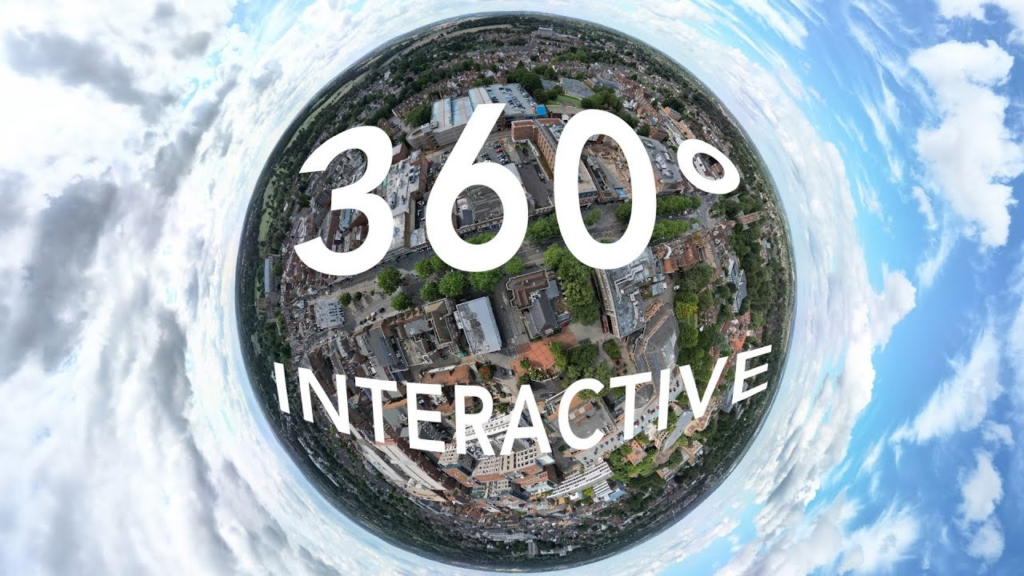
Interactive content has become increasingly important for improving user engagement and conversion rates.
Adding a 360 panorama viewer to your WordPress website can offer several advantages.
Static images only show one perspective at a time. In contrast, panoramic viewers allow visitors to control the experience themselves.
This sense of exploration encourages users to stay longer on your website, increasing overall engagement.
When visitors can explore a product or environment from every angle, they feel more confident in what they are seeing.
Например:
This transparency helps build credibility and reduces hesitation.
Panoramic content allows brands to tell richer visual stories.
A travel website, for example, can transport users to a beach destination or mountain landscape without them leaving their browser.
This immersive experience often creates a stronger emotional connection with visitors.
Many websites still rely only on images and videos.
By adding interactive panoramas, your website can stand out visually and technologically, giving visitors a memorable browsing experience.
Most WordPress panorama plugins follow a similar workflow.
First, you need a 360-degree panoramic image. These can be captured using:
Once created, the panorama image is usually exported as a equirectangular image.
Next, you upload the panorama image to your WordPress media library.
Most plugins support drag-and-drop uploads.
The plugin converts the image into an interactive viewer. You can typically customize:
Some plugins also allow the addition of interactive hotspots.
Finally, the panorama viewer can be inserted into a page using:
This allows the panorama to appear seamlessly within your website layout.
There are several plugins available that make it easy to add panoramic experiences to WordPress websites. Below are some widely used options.
WP VR is one of the most popular panorama plugins for WordPress.
It allows users to create interactive virtual tours with ease. The plugin supports both single panorama scenes and multi-scene tours connected through navigation points.
Key features include:
This plugin is particularly useful for real estate websites and tourism businesses.
PanoPress is another well-known plugin designed for displaying panoramic images inside WordPress posts and pages.
It supports both 360 panoramas and virtual tours, and it works smoothly with modern browsers and mobile devices.
Important features include:
PanoPress is often chosen by photographers, bloggers, and educators who want to showcase immersive environments.
iPanorama 360 is a premium plugin focused on building fully interactive virtual tours.
Unlike simpler panorama viewers, this plugin allows site owners to create complex navigation experiences with multiple scenes and interactive elements.
Features include:
This makes it ideal for professional virtual tour projects.
Algori 360 Image is a lightweight plugin designed to display simple 360 images using the Gutenberg editor.
It’s particularly suitable for beginners who want a straightforward way to display panoramas without complex configuration.
Features include:
For small projects or blogs, this plugin provides a quick and efficient solution.
Some WordPress plugins are based on Photo Sphere Viewer, an open-source JavaScript library used to render 360 panoramas.
These integrations allow developers to embed highly customizable panoramic experiences into WordPress pages.
Advantages include:
However, these plugins may require slightly more technical knowledge.
When choosing a wordpress website plugin for 360 panorama viewer, it’s important to consider the following features.
A user-friendly interface makes it easier to upload panoramas and configure viewers without coding.
Since many users browse websites on mobile devices, the panorama viewer should support touch gestures and responsive layouts.
Hotspots allow you to add clickable points within the panorama.
These can link to:
This transforms the panorama into an interactive experience.
If you use page builders like Elementor or WPBakery, choose a plugin that integrates easily with those tools.
Panorama images can be large. A good plugin should include optimization features to ensure fast loading times.
Many industries are adopting panoramic technology to improve online experiences.
Property buyers can explore homes remotely through immersive virtual tours.
Travel websites can showcase destinations, hotels, and attractions through panoramic experiences.
Hotels can allow visitors to preview rooms, lobbies, and facilities.
Museums and schools can create interactive exhibitions.
Brands can present products in a more immersive format, helping customers understand them better before purchasing.
To get the best results from a panorama viewer plugin, consider these tips.
A blurry panorama can ruin the immersive experience. Always use high-resolution panoramic photos.
Large images can slow down your website. Compress images while maintaining quality.
Too many hotspots or controls can confuse users. Focus on a clean and intuitive interface.
Instead of just displaying a panorama, use captions, descriptions, or guided navigation to tell a story.
Interactive experiences are becoming a core part of modern web design.
Technologies like:
are reshaping how users interact with websites.
As expectations continue to rise, businesses that adopt immersive technology early will have a strong advantage in attracting and engaging visitors.
Using a wordpress website plugin for 360 panorama viewer is one of the easiest ways to start building these interactive experiences.
Adding a 360 panorama viewer to your WordPress website can dramatically enhance user engagement, storytelling, and trust.
Whether you are running a real estate website, a travel platform, or an e-commerce store, immersive panoramic content allows visitors to explore environments and products in a far more engaging way than traditional images.
With the help of the right wordpress website plugin for 360 panorama viewer, you can integrate this technology into your website quickly and without complex development.
If you’re planning to build or redesign a WordPress website that includes immersive visuals, virtual tours, or interactive shopping experiences, thoughtful design plays a critical role.
На сайте АИРСАНГ, we specialize in cross-border e-commerce website design and user experience optimization. From Shopify stores to WordPress websites, our focus is on creating visually engaging, conversion-focused designs that help brands stand out in global markets.
If you’re looking to create a modern website with immersive features like 360 panoramas, virtual tours, or interactive product experiences, feel free to explore our services or reach out to the АИРСАНГ team for professional design support.


















