How to Use WordPress: A Beginner-Friendly Complete Guide

Введение

If you’re looking to build a website without diving deep into coding, learning how to use WordPress is one of the smartest decisions you can make.

WordPress powers over 40% of websites worldwide, from personal blogs to large-scale eCommerce platforms. Its flexibility, scalability, and user-friendly interface make it a top choice for beginners and professionals alike.

In this guide, we’ll walk you through everything you need to know—from understanding the dashboard to creating pages, customizing design, and managing content. Whether you’re starting a business site or building an online store, this guide will help you confidently navigate WordPress.
What Is WordPress and Why Use It?

How to Use WordPress: A Beginner-Friendly Complete Guide-What Is WordPress and Why Use It?

Before learning how to use WordPress, it’s important to understand what makes it so popular.

WordPress is an open-source content management system (CMS) that allows you to create and manage websites without writing code. It offers thousands of themes and plugins, giving you full control over your site’s appearance and functionality.

Key Benefits of WordPress

  • Easy to use for beginners
  • Highly customizable design options
  • Strong SEO capabilities
  • Scalable for small and large businesses
  • Massive community support

For businesses—especially in cross-border eCommerce—WordPress provides the flexibility to build a brand-driven, conversion-focused website.

Understanding the WordPress Dashboard

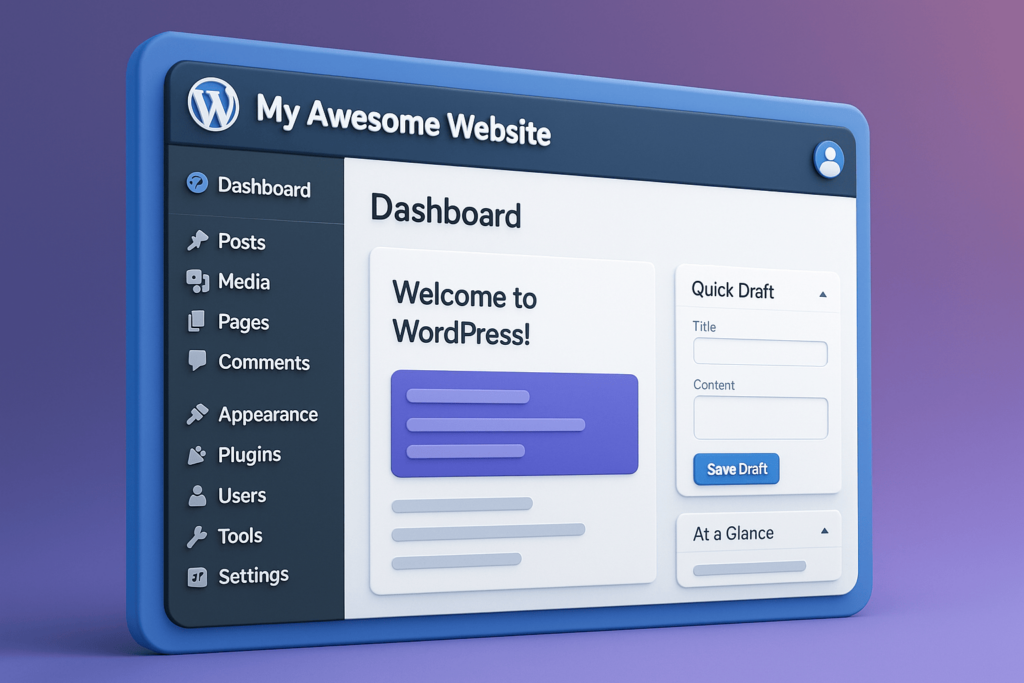
Once WordPress is installed, the first thing you’ll interact with is the dashboard.

The dashboard is your control center. From here, you can manage content, customize your design, and control your website settings.

Main Sections You Should Know

  • Сообщения – Used for blog articles
  • Страницы – Static pages like Home, About, Contact
  • СМИ – Image and video library
  • Appearance – Themes and design settings
  • Плагины – Add new features and tools
  • Настройки – General website configurations

Getting familiar with these sections is the first step in mastering how to use WordPress.

How to Create and Manage Content

Content is the core of any website. WordPress makes it simple to create and manage both pages and blog posts.

Creating a New Page

To create a page:

  1. Go to Pages → Add New
  2. Enter your page title
  3. Add content using the block editor
  4. Click Publish

Pages are typically used for key sections like your homepage, services, or product categories.

Creating Blog Posts

Blog posts work similarly but are more dynamic. They can be categorized and tagged, making them ideal for SEO and content marketing.

For example, if you’re targeting keywords like how to use wordpress, blog posts are the best way to rank on Google.
Using the Block Editor (Gutenberg)

How to Use WordPress: A Beginner-Friendly Complete Guide-What Is WordPress and Why Use It?

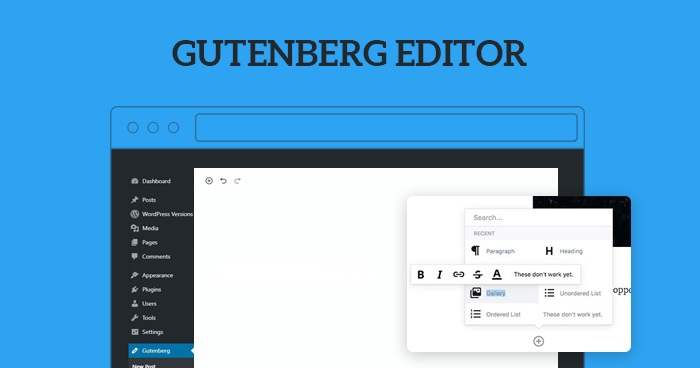
The WordPress block editor allows you to build pages visually.

Instead of writing code, you can add different blocks such as:

  • Text blocks
  • Image blocks
  • Buttons
  • Колонки
  • Videos

Each block can be customized independently, giving you full control over layout and design.

For beginners learning how to use WordPress, this visual editing experience is a major advantage.

Choosing and Customizing Themes

Your website’s design depends on the theme you choose.

A theme controls:

  • Layout structure
  • Typography
  • Цвета
  • Overall visual style

Как выбрать подходящую тему оформления

Look for a theme that is:

  • Чистый и современный
  • Mobile responsive
  • Fast-loading
  • Compatible with page builders like Elementor

Customizing Your Theme

Go to Appearance → Customize to adjust:

  • Logo and branding
  • Colors and fonts
  • Header and footer
  • Homepage layout

На сайте АИРСАНГ, we always emphasize that design is not just about looks—it directly impacts user trust and conversion rates.

Extending Functionality with Plugins

Plugins are one of the most powerful aspects of WordPress.

They allow you to add features like:

  • SEO-оптимизация
  • Формы обратной связи
  • Security enhancements
  • eCommerce functionality

Popular Plugin Examples

  • SEO plugins for better Google rankings
  • Page builders for advanced layouts
  • Performance plugins for faster loading

However, avoid installing too many plugins, as it can slow down your website.

How to Build Navigation and Structure

A well-structured website improves user experience and conversions.

Creating Menus

Go to Appearance → Menus to:

  • Add pages to your navigation
  • Organize menu hierarchy
  • Set primary navigation locations

Передовые методы

  • Keep navigation simple
  • Use clear labels
  • Avoid too many menu items

For cross-border websites, clarity is critical. Users should instantly understand where to go.

Managing Media and Visual Content

Images and videos play a key role in engagement.

Uploading Media

Go to Media → Add New to upload files.

Optimization Tips

  • Use compressed images
  • Maintain consistent style
  • Avoid cluttered visuals

High-quality visuals can significantly improve user trust—especially for eCommerce websites.

Basic SEO Setup in WordPress

How to Use WordPress: A Beginner-Friendly Complete Guide-Basic SEO Setup in WordPress

If you’re learning how to use WordPress, SEO is something you can’t ignore.

Key SEO Elements

  • Page titles
  • Meta descriptions
  • структура URL
  • Image alt text

Content Strategy

Create content around keywords like:

  • how to use wordpress
  • wordpress tutorial
  • wordpress for beginners

Consistent content publishing helps your site rank and attract organic traffic.

Common Challenges and Solutions

Challenge 1: Slow Website Speed

Решение: Optimize images, use fewer plugins, and choose a good hosting provider.

Challenge 2: Design Looks Unprofessional

Решение: Use a clean theme and maintain consistent spacing and typography.

Challenge 3: Low Conversion Rate

Решение: Improve layout clarity, add trust signals, and simplify navigation.

На сайте АИРСАНГ, we often see that design—not technology—is the biggest factor affecting website performance.

How WordPress Supports Business Growth

WordPress is not just a website builder—it’s a growth platform.

При правильной настройке вы сможете:

  • Build brand authority
  • Generate leads
  • Sell products globally
  • Scale your online presence

Especially for cross-border businesses, WordPress offers the flexibility to adapt to different markets and customer behaviors.

Заключение

Learning how to use WordPress opens the door to building powerful, flexible, and scalable websites.

From managing content to customizing design and optimizing for SEO, WordPress gives you complete control over your online presence.

However, building a truly effective website goes beyond just using the platform—it requires strategic design, user experience optimization, and a deep understanding of conversion.

That’s exactly where АИРСАНГ входит.

We specialize in cross-border website design and WordPress site construction, helping businesses create high-converting websites that not only look professional but also drive real results.

If you’re planning to build or upgrade your WordPress website, feel free to reach out—our team is here to help you turn ideas into a powerful online presence.


Доставка по всему миру

АИРСАНГ Предоставляет экономически эффективные решения в области веб-дизайна, фирменного стиля и электронной коммерции. От Shopify и WordPress до изображений товаров для Amazon., Мы помогаем мировым брендам создавать, развивать и расширять свой онлайн-бизнес.

Спроектируем и создадим для вас WordPress-сайт или корпоративный сайт с полной системой электронной коммерции.
Нестандартные требования или специальные предложения

Нестандартные требования или специальные предложения

Первоначальная цена составляла: $2.00.Текущая цена: $1.00.
Не слишком ли много 50 плагинов для интернет-магазина на WordPress?
Понимание реального влияния на производительность Наличие 50 плагинов на сайте электронной коммерции WordPress не является автоматической проблемой. На самом деле, само по себе их количество редко определяет производительность.....
Дизайн главного изображения для домашнего физиотерапевтического устройства Amazon: пояснения.
Введение: Создание достоверного изображения для домашних терапевтических приборов на Amazon При разработке главного изображения для домашнего терапевтического прибора на Amazon мы в первую очередь...
Разработка эффективного основного изображения Amazon для фильтрующих картриджей
Введение. Разработка основного изображения для Amazon — это не просто создание привлекательного внешнего вида товара. Речь идёт о ясности, доверии и мгновенном понимании, особенно для...
Повторные атаки на WordPress: реальная угроза или преувеличенный миф?
Давайте сначала кое-что проясним. Атаки повторного воспроизведения не выглядят страшно. Они не взламывают пароли. Они не внедряют вредоносный код с зелёным хакерским текстом, разлетающимся повсюду. Они действуют коварно...
Сравнение пяти тем WordPress для сайтов о домашних животных
Введение. Выбор подходящей темы WordPress для сайтов, посвященных домашним животным, — это не просто решение, связанное с дизайном; оно напрямую влияет на удобство использования, масштабируемость и долгосрочный рост бизнеса. Уход за домашними животными и...
Сравнение пяти тем оформления для интернет-магазинов купальников
Введение. Выбор правильной тематики для независимого магазина купальников или нижнего белья — это не просто визуальное решение, оно напрямую влияет на коэффициент конверсии, масштабируемость и долгосрочную перспективу...
Ошибка WordPress 500: когда ваш сайт начинает паниковать
Ваш сайт WordPress ещё минуту назад работал нормально. Вы обновили страницу. И вдруг — бац 💥 — ошибка 500 Internal Server Error. Никаких объяснений. Никаких извинений. Просто холодное, непонятное сообщение, которое, по сути...
Создание масштабируемого веб-сайта на WordPress для научно-ориентированного бренда: проект AminoUSA
Введение. В современном цифровом пространстве веб-сайт — это больше, чем просто место для размещения информации о товарах. Для научно-ориентированных брендов, работающих в регулируемых или научно-исследовательских отраслях, это….
Создание масштабируемого магазина Shopify для глобального бренда ножей: проект CoolKatana
Введение. В трансграничной электронной коммерции веб-сайт Shopify — это больше, чем просто витрина магазина. Для брендов, работающих в нишевых, ориентированных на культуру категориях, веб-сайт должен делать гораздо больше, чем...
Высокоэффективный дизайн Shopify для индивидуального бренда стационарной торговой точки.
Введение. В условиях современной конкурентной среды электронной коммерции, особенно в сегменте персонализированных подарков и коллекционных товаров, веб-сайт на платформе Shopify должен делать гораздо больше, чем просто отображать товары. Он...
Как связаться со службой поддержки Shopify: простое и понятное руководство
Управление магазином Shopify должно приносить удовольствие, а не путаницу. Когда возникают вопросы или проблемы замедляют вашу работу, Shopify предлагает несколько вариантов поддержки в зависимости от ситуации...

Готовы преобразовать свой бизнес?

Закажите звонок, чтобы узнать больше о том, как наше агентство цифрового маркетинга может вывести ваш бизнес на новый уровень.