













Твой WordPress Ещё минуту назад всё было в порядке.
Вы обновили страницу.
И вдруг — бац 💥 — ошибка 500 Internal Server Error.
Никаких объяснений.
Никаких извинений.
Просто холодное, непонятное сообщение, которое, по сути, гласит:
“Что-то пошло не так».
Не спрашивайте меня, что именно.”
Если вы когда-либо смотрели на эту ошибку так, будто она вас лично предала, поздравляю — вы официально стали пользователем WordPress.
Давайте разберемся, что на самом деле означает эта ошибка, почему она возникает и как ее исправить, не сойдя с ума (и не потеряв свой сайт).
Прежде всего: что такое ошибка 500 Internal Server Error?
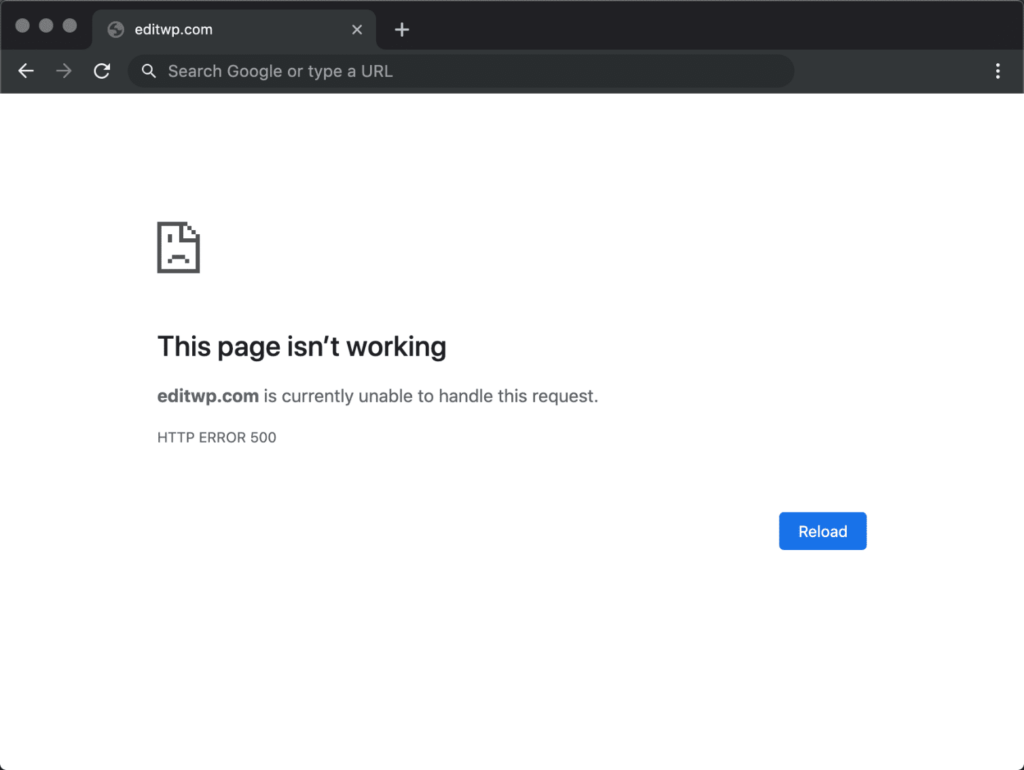
Ошибка 500 означает, что WordPress сообщает:
“"Я пытался.
Что-то пошло не так.
Я не знаю, что именно.
Удачи."”
Это ошибка на стороне сервера, а не проблема с темой оформления, не опечатка и не ретроградный Меркурий.
Сервер просто не смог обработать запрос.
Раздражает? Да.
Распространенность? Чрезвычайно высокая.
Можно ли это исправить? Безусловно.
Наиболее распространенные причины ошибки 500 в WordPress
Воспринимайте эту ошибку как неудачный день для WordPress.
Вот список обычных подозреваемых:
1. Плагин проснулся и выбрал насилие.
Плагины — это замечательно, пока одно обновление не решит всё сломать.
Что делать:
- Отключить все плагины
- Перезагрузите сайт
- Включайте их по одному.
Когда ошибка повторится, вы найдете виновника.
(Полезный совет: обычно это тот, где написано “незначительное обновление”.)
2. Ваша тема — экзистенциальный кризис.
Пользовательский код, неработающее обновление или частично отредактированный текст функции.php Этот файл может привести к сбою всего сайта.
Быстрый тест:
- Переключитесь на тему по умолчанию (например, Twenty Twenty-Four).
- Если сайт загружается, проблема в вашей теме оформления, а не в WordPress.
3. .htaccess Сегодня файл — не ваш друг.
Испорченный .htaccess Этот файл может незаметно разрушить ваши мечты о создании веб-сайта.
Исправьте это:
- Переименовать
.htaccessна.htaccess_old - Обновите свой сайт
- Перейдите в «Настройки» → «Постоянные ссылки» и нажмите «Сохранить».
WordPress сгенерирует для вас чистый файл.
4. Ограничение памяти PHP: тихий убийца
Вашему сайту не хватает ресурсов.
Ваш сервер сообщает: “Оператива больше нет”.”
Решение:
Увеличьте лимит памяти PHP в wp-config.php:
define('WP_MEMORY_LIMIT', '256M');
Потому что 64 МБ в 2025 году — это просто неуважение.
5. Проблемы с сервером или хостингом (да, такое случается)
Иногда дело не в тебе.
Это сервер.
Перегрузка хостинга, неправильно настроенная версия PHP или временный сбой — все это может привести к ошибке 500.
Если все остальные способы не сработают:
- Проверьте журналы сервера.
- Свяжитесь со своим хостинг-провайдером.
- Или подумайте об обновлении, прежде чем ваш сайт снова взбунтуется.
Как отлаживать программы, как спокойный и ответственный взрослый.
Включите режим отладки WordPress:
define('WP_DEBUG', true); define('WP_DEBUG_LOG', true);
Это позволит вам получать реальные сообщения об ошибках, вместо того чтобы WordPress просто пожимал плечами.
Знание — сила.
Почему 500 ошибок причиняют больше вреда, чем вы думаете.
Ошибка 500 не просто выглядит плохо — она:
- Нарушает SEO-индексацию
- Убийства конверсий
- Подрывает доверие пользователей
- Заставляет Google молча осуждать вас.
Если ваш сайт перестаёт работать во время показа рекламы, проведения акций или пиковой нагрузки…
Это реальные деньги, которые исчезают.
Заключительные мысли (и дружеская проверка реальности)
Большинство ошибок 500 Internal Server Error можно исправить за несколько минут — если знать, где искать.
Но что, если это будет продолжаться?
Если обновления кажутся рискованными?
Что делать, если ваш сайт постоянно зависает при каждом обновлении?
Это не является “нормальным поведением WordPress”.”
Это проблема конструкции.
Вот тут-то и вступают в дело профессионалы.
Нужен стабильный сайт на WordPress, который не будет внезапно выходить из строя?
На сайте АИРСАНГ, Мы специализируемся на:
- Веб-сайты для трансграничного бизнеса
- WordPress & Shopify дизайн сайта
- Оптимизация производительности и стабильность
- SEO-оптимизированные структуры, созданные для роста
Мы не просто делаем сайты привлекательными — мы обеспечиваем их бесперебойную работу в сети, высокую конверсию и глобальный масштаб.
Если вы устали от неожиданных ошибок и панических обновлений по ночам,
следовать АИРСАНГ Или свяжитесь со мной, когда будете готовы к созданию чего-то действительно стоящего.
Ваш официант будет вам благодарен. 😌


Спроектируем и создадим для вас WordPress-сайт или корпоративный сайт с полной системой электронной коммерции.
Ценовой диапазон: от $200.00 до $2,500.00Нестандартные требования или специальные предложения
Первоначальная цена составляла: $2.00.$1.00Текущая цена: $1.00. Не слишком ли много 50 плагинов для интернет-магазина на WordPress?
Понимание реального влияния на производительность Наличие 50 плагинов на сайте электронной коммерции WordPress не является автоматической проблемой. На самом деле, само по себе их количество редко определяет производительность.....

Как хакеры крадут электронные письма администраторов WordPress (и как им это предотвратить)
Начнем с неприятной истины: ваша электронная почта администратора WordPress, вероятно, гораздо более публична, чем вы думаете. А хакеры? Им это нравится. Для них ваш...

Повторные атаки на WordPress: реальная угроза или преувеличенный миф?
Давайте сначала кое-что проясним. Атаки повторного воспроизведения не выглядят страшно. Они не взламывают пароли. Они не внедряют вредоносный код с зелёным хакерским текстом, разлетающимся повсюду. Они действуют коварно...

Как скопировать страницы WordPress, ничего не сломав
Давайте посмотрим правде в глаза. Иногда вам не хочется создавать новую страницу. Вам нужна та же самая страница… но немного другая. Тот же макет. Те же блоки. Те же настройки. Потому что….

Как отключить комментарии в WordPress (не сойдя с ума)
Давайте поговорим о комментариях в WordPress. В теории комментарии — это здорово. Они стимулируют дискуссии. Они создают сообщество. Они делают ваш сайт “живым”. А на практике? Зачастую они притягивают...

Как связаться со службой поддержки Shopify: простое и понятное руководство
Управление магазином Shopify должно приносить удовольствие, а не путаницу. Когда возникают вопросы или проблемы замедляют вашу работу, Shopify предлагает несколько вариантов поддержки в зависимости от ситуации...

Как деактивировать магазин Shopify: понятное и практичное руководство
Деактивация магазина Shopify — несложная процедура, но она влечет за собой последствия, которые многие продавцы упускают из виду. В этом руководстве процесс описан простым и понятным языком...

Сравнение пяти тематических магазинов обуви
Введение. Выбор правильной тематики для независимого магазина, специализирующегося на обуви, — это не просто визуальное решение, оно напрямую влияет на масштабируемость, повседневную работу и долгосрочные показатели конверсии...

Shopify против Etsy: решающее противостояние в онлайн-торговле
Введение: Две платформы заходят в бар… Если бы Shopify и Etsy были людьми, Etsy был бы тем очаровательным другом, у которого уже есть место в….

Ваш сайт на Shopify или WordPress взломан? Вот что нужно делать.
Введение: Цифровой эквивалент пробуждения и разбитого окна. Представьте, что вы просыпаетесь, берете утренний кофе, открываете ноутбук… и обнаруживаете свой веб-сайт….

Как запустить магазин Shopify, не сойдя с ума
Создание магазина на Shopify звучит заманчиво. Вы представляете, как пьёте кофе в полдень, проверяете уведомления о распродажах и между делом говорите друзьям: “Да, мой магазин неплохо продаётся...».

Shopify — это легитимный сервис? Пошаговое руководство для начинающих онлайн-продавцов.
Если вы изучаете платформы для электронной коммерции, скорее всего, вы ввели в Google один очень конкретный вопрос: является ли Shopify легитимной платформой? Этот вопрос вполне обоснован. Запуск...

Shopify — это легитимная платформа? Сравнение Shopify и BigCommerce.
Когда люди впервые знакомятся с электронной коммерцией, один и тот же вопрос возникает снова и снова: является ли Shopify надежным сервисом? Это вполне закономерный вопрос. Создание интернет-магазина означает доверие...

Как создать магазин Shopify: простое пошаговое руководство
Создание интернет-магазина раньше казалось непосильной задачей. Домены, хостинг, платежи, дизайн, доставка, маркетинг — всё звучало технически сложно, дорого и запутанно. Именно поэтому существуют такие платформы, как Shopify...

Руководство для начинающих по разработке дизайна Shopify до $1000
Для создания магазина на Shopify больше не требуется огромный бюджет или целая команда разработчиков. Для многих стартапов, индивидуальных предпринимателей и продавцов, работающих на международном уровне, наем специалиста по Shopify...

Критическая ошибка WordPress: причины и способы устранения
Если у вас сайт на WordPress, то вряд ли найдётся более тревожное сообщение, чем это: “На этом сайте произошла критическая ошибка”. Для многих...

Как безопасно увеличить лимит памяти WordPress
Простое руководство для начинающих по повышению производительности. Если ваш сайт WordPress работает медленно, неожиданно вылетает или выдает ошибки типа “Исчерпан допустимый объем памяти”, вы не одиноки...
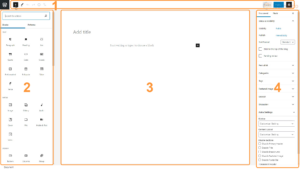
Как использовать стандартный редактор WordPress
Если вы новичок в WordPress, одним из первых инструментов, с которыми вы будете взаимодействовать, станет стандартный редактор WordPress. Независимо от того, пишете ли вы посты в блоге, создаёте...