워드프레스 powers a massive portion of the modern web — more than 40% of all websites rely on its flexibility and ease of use. But this dominance also makes it a big target for hackers. One of the lesser-known, yet frequently exploited weaknesses involves something many site owners overlook: the WordPress admin email address.
If someone can find the email address tied to your WordPress administrator account, they’ve already gained a powerful foothold. With it, attackers can launch spam campaigns, brute-force attempts, phishing scams, and even full account takeovers. In this article, we’ll explain — in plain language — how hackers mine WordPress for admin email addresses, and more importantly, how you can stop them.
Why Hackers Care About Your Admin Email
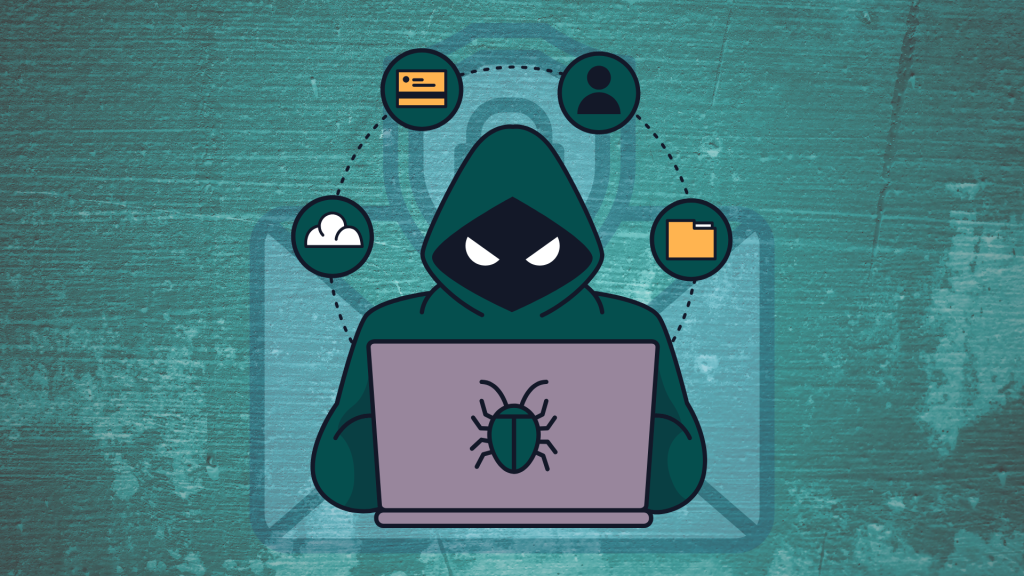
Before we dive into techniques, it’s important to understand why admin email addresses are such a hot target.
Your WordPress admin email is used for critical functions like:
- Password recovery
- Login notifications
- Site alerts and updates
When hackers know your admin email, they can use it to:
- Initiate password resets to try to hijack your account
- Send convincing phishing emails that mimic official WordPress emails
- Fill your inbox with spam or malware links
- Run credential-stuffing attacks using lists of leaked passwords from other breaches
Because this email is so privileged, attackers put a lot of effort into finding it.
How Do Hackers Mine WordPress for Admin Email Addresses?

Hackers don’t have to break into your site to find your admin email — many of the methods rely on publicly accessible features and overlooked data leaks. Let’s walk through the most common ways they do it.
1. Author Pages & User Enumeration
WordPress automatically generates author archive pages for each user who has published content. These pages typically show information about the author’s name and other public profile info.
Hackers use tools to run through possible author URLs like:
example.com/author/john
example.com/?author=1
If these return a valid page, it confirms a username — and often a related email address — which can then be cross-referenced with data breaches or public databases.
This tactic, called user enumeration, is surprisingly simple but effective.
2. Scraping Public Pages & Contact Forms
Even if your WordPress install doesn’t show emails on author pages, many sites include the admin email on contact pages, footers, or in visible content blocks.
Automated bots crawl the web constantly, looking for “@yourdomain.com” patterns. Even attempts to obfuscate emails (like admin [at] domain [dot] com) can sometimes be decoded by advanced scrapers.
3. Comment Sections & Metadata Leaks
If your blog allows comments, email addresses can sometimes be exposed through:
- HTML source code
- Plugin metadata
- Comment author information
Some themes or plugins inadvertently output user emails in visible or hidden metadata — and hackers can parse this to extract addresses.
4. WordPress REST API Exposure
The WordPress REST API is a useful feature that lets developers interact with site data programmatically. But if left unrestricted, it also exposes user information.
The endpoint:
example.com/wp-json/wp/v2/users
can list usernames and related data. From these, hackers may infer or derive associated email addresses — especially if plugins or themes include extra metadata in the API response.
5. Vulnerable Plugins and Themes
Outdated or poorly coded plugins and themes remain one of the biggest sources of security issues in WordPress. Hackers scan sites for known vulnerabilities — and many of these issues can expose sensitive data, including admin emails, when exploited.
Error messages, debug output, or insecure database queries can all leak information if not properly secured.
6. XML-RPC & Brute-Force Assistance
XML-RPC is an old WordPress feature designed for remote publishing and other operations. While it doesn’t directly reveal emails, it can be leveraged in brute-force attacks once an admin email is known.
Hackers combine email mining with automated login guesses to overwhelm login forms and trick the site into revealing access.
What Happens Once They Have Your Admin Email?
Knowing your admin email is often the first step in a larger attack chain. Common consequences include:
- Targeted phishing emails crafted to fool you into entering credentials
- Credential stuffing using old passwords leaked from other breaches
- Spam and malware campaigns aimed at your users
- Full account takeover if password reset mechanisms are abused
The risk goes beyond just your site — your brand reputation, customer trust, and data integrity are all at stake.
How to Protect Your WordPress Admin Email
The good news? Many of the techniques hackers use are preventable with the right practices.
Here are the most effective steps you can take:
1. Don’t Use Your Real Admin Email Publicly
Instead of associating your real admin address with public posts, create a separate “public user” with a generic email. Only use your true admin account when necessary.
2. Restrict or Disable the REST API
If your site doesn’t need the public REST API, restrict it to authenticated users or disable it completely using security plugins or code snippets.
3. Hide or Disable Author Archive Pages
Use SEO tools (like Yoast or Rank Math) to noindex author archives, or redirect them entirely — reducing the potential for user enumeration attacks.
4. Harden Your Comment Section
Configure your comment settings and use moderation plugins to avoid leaking user or admin emails through comment metadata.
5. Obfuscate Emails or Use Contact Forms
Instead of posting raw email addresses, use secure contact forms. If you must show an email, use obfuscation tools so bots can’t easily parse it.
6. Keep Everything Updated
WordPress core, themes, and plugins are updated regularly — and these updates often include security patches. Keeping your site current reduces the risk of vulnerabilities that could expose admin information.
7. Use Security Plugins
Comprehensive security solutions like Wordfence, Sucuri, or similar security plugins can block malicious bots, limit brute-force attempts, and monitor for suspicious activity — providing a strong defense layer.
마지막으로
Understanding how do hackers mine WordPress for admin email addresses is more than an academic question — it’s a critical part of running a secure website. These email mining techniques are often surprisingly simple, yet they remain highly effective when left unchecked.
By following the steps above — from hiding admin emails to tightening your site’s public endpoints — you can drastically reduce your risk. WordPress security doesn’t have to be complicated — it just needs to be proactive.
Need Help with Your WordPress Security and Design?
에서 AIRSANG, we specialize in cross-border web solutions, secure 워드프레스 design, and website hardening — built to protect your brand and drive global engagement. If you want to strengthen your site’s defenses, improve performance, or get a custom design that’s both secure and scalable, our team can help. Contact us to take your WordPress site to the next level.