












소개
If you have ever wondered how to make a blog on WordPress, the good news is that the process is much easier than many beginners imagine. You do not need to be a developer, designer, or technical expert to launch your first blog. 워드프레스 gives you a flexible foundation where you can publish articles, add images, organize topics, build an audience, and improve your website over time.
Many new bloggers hesitate because WordPress looks powerful, and anything powerful can feel confusing at first. You may see terms like hosting, themes, plugins, permalinks, widgets, categories, tags, and SEO before you even write your first post. That can make blogging feel more complicated than it really is. In reality, you only need to understand a few core steps to get started.
This guide explains how to make a blog on WordPress in a beginner-friendly way. Instead of overwhelming you with every possible setting, it focuses on the essential decisions that help you launch a clean, useful, and ready-to-grow blog.
Why WordPress Is a Strong Choice for Blogging
WordPress remains one of the most popular blogging platforms because it gives you control. You can start with a simple blog and later expand it into a business website, portfolio, online magazine, course platform, or even an online store. That flexibility is one of the biggest reasons people choose WordPress.
Another advantage is ownership. With a self-hosted WordPress site, you can control your domain, design, content structure, plugins, and growth strategy. You are not limited to the layout or rules of a closed platform. You can also improve your blog step by step as your goals become clearer.
For beginners, WordPress works well because it can be simple at the start. You can install a theme, adjust basic settings, publish your first post, and continue learning as you go. You do not need to master every feature on day one.
Step 1: Choose a Domain and Hosting
Before your blog can go live, it needs two things: a domain name and web hosting.
Your domain name is your website address. It should be easy to spell, easy to remember, and connected to your blog topic or personal brand. If your blog is about travel, parenting, food, fitness, business, or personal essays, choose a name that gives readers a clear idea of what they can expect.
Hosting is the service that stores your website files and makes your blog available online. When someone types your domain into a browser, your hosting server delivers the website to them.
For a new blog, look for WordPress-friendly hosting with simple installation, SSL security, customer support, backups, and room to grow. You do not need the most expensive plan when you are just starting, but you should avoid unreliable free hosting. A slow or unstable host can hurt the reader experience and make your blogging journey more frustrating.
Good hosting should make WordPress installation simple. Many hosting providers include one-click WordPress setup, which means you can create your site without manually uploading files or configuring a database.
Step 2: Install WordPress
After choosing hosting, the next step is installing WordPress. Most modern hosts guide you through this process inside your hosting account. You usually select your domain, create an admin username and password, and confirm the installation.
Once WordPress is installed, you can log in to your dashboard. The login address is often your domain followed by /wp-admin. This dashboard is where you manage posts, pages, themes, plugins, settings, media, comments, and user profiles.
At first, the dashboard may look busy, but you will use only a few areas most of the time. For blogging, the most important sections are Posts, Pages, Appearance, Plugins, Settings, Media, and Users.
Step 3: Configure the Basic Settings
Before you publish your first article, take a few minutes to adjust the basic WordPress settings. This helps your blog look more professional from the beginning.
Start with your site title and tagline. The site title is usually your blog name. The tagline is a short phrase that explains what your blog is about. For example, a personal finance blog might use a tagline like “Simple money tips for everyday life.”
Next, check your time zone, date format, and language settings. These details may seem small, but they help keep your posts and publishing schedule accurate.
Then review your reading settings. WordPress lets you decide whether your homepage shows your latest posts or a static page. For a simple blog, showing the latest posts is often enough. If you want a more designed homepage later, you can switch to a static page.
Discussion settings are also important. If you want readers to comment on your posts, keep comments enabled. If you prefer to review comments before they appear publicly, turn on manual approval. This can help reduce spam and keep conversations useful.
Finally, adjust your permalink structure. A permalink is the URL of a specific post or page. For most blogs, the “Post name” structure is a clean choice because it creates readable URLs based on your article title. For example, a post about healthy breakfast ideas will have a clearer URL than one filled with numbers.
Step 4: Choose a WordPress Theme
A theme controls the visual style of your blog. It affects your layout, typography, colors, header, footer, post design, and overall appearance.
When learning how to make a blog on WordPress, many beginners spend too much time searching for the perfect theme. Design matters, but content matters more in the early stage. Your first goal is to choose a clean, responsive, easy-to-read theme that works well on both desktop and mobile.
Look for a theme with simple navigation, readable font sizes, fast loading speed, and good support for the WordPress block editor. Avoid themes that feel too heavy or include too many features you do not need.
You can always change your theme later. Your first theme does not need to be your final design. Choose something practical, publish content, and improve the look of your site as you learn what your readers need.
Step 5: Install Essential Plugins
Plugins add extra features to WordPress. They can help with SEO, security, backups, contact forms, analytics, image optimization, spam protection, and more.
However, beginners should avoid installing too many plugins. Every plugin adds complexity, and poorly maintained plugins can slow down your site or create conflicts. Start with only the essentials.
An SEO plugin can help you write better titles, meta descriptions, and search-friendly content. A backup plugin can protect your site if something goes wrong. A security plugin can help monitor suspicious activity. An analytics plugin can connect your blog to visitor data so you can understand which posts perform well.
You may also want a spam protection plugin if you allow comments. As your blog grows, spam comments can become a problem, so it is better to prepare early.
The best approach is simple: install plugins that solve a real problem. Do not add features just because they look interesting.
Step 6: Create Important Pages
Although blog posts are the heart of your site, a few basic pages make your blog look more complete and trustworthy.
An About page explains who you are, what your blog covers, and why readers should care. This page does not need to be long, but it should feel clear and human. Tell people what they will learn or gain from reading your blog.
A Contact page gives visitors a way to reach you. You can include a simple contact form or a professional email address. If you want to work with brands, clients, contributors, or readers, this page becomes especially useful.
You may also need a Privacy Policy page, especially if you collect emails, use analytics, display ads, or use cookies. Depending on your location and audience, legal requirements may vary, so it is wise to include a basic policy early.
These pages do not need to be perfect. They simply help your blog feel organized and credible.
Step 7: Plan Your Blog Categories
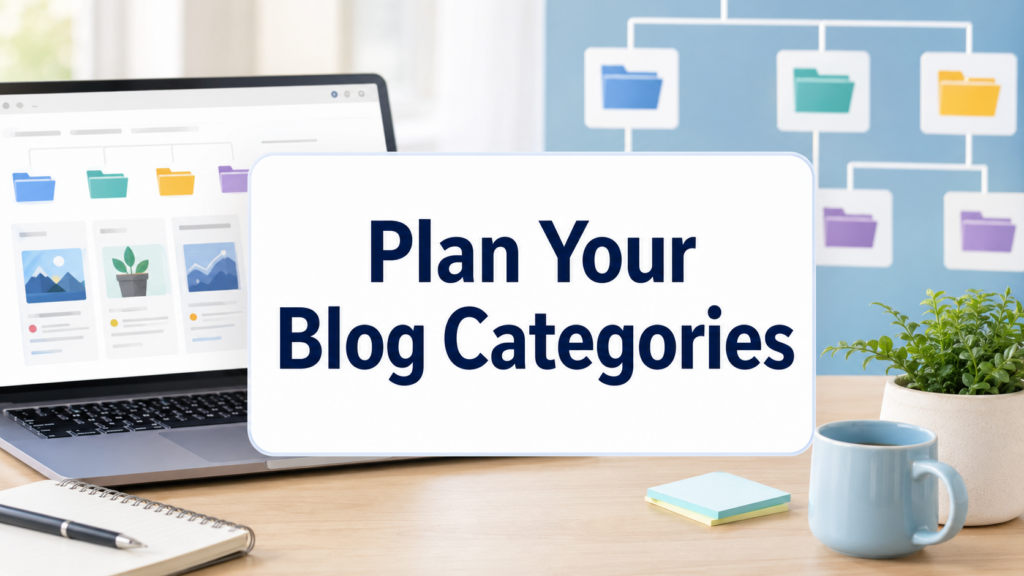
Categories help organize your content into broad topics. If your blog is about wellness, your categories might include nutrition, exercise, mental health, and healthy habits. If your blog is about digital marketing, categories might include SEO, social media, email marketing, and website strategy.
Good categories make your blog easier to navigate. They also help you plan content more clearly. Instead of writing random posts, you can build topic clusters around the main areas your audience cares about.
Try to start with three to six categories. Too many categories can make your blog feel messy. You can always add more later as your content library grows.
Tags are more specific than categories. They describe smaller details within a post. For example, a recipe blog might use a category like “Dinner” and tags like “vegetarian,” “quick meals,” or “pasta.”
Step 8: Write Your First Blog Post
Now comes the most important part: writing your first post.
Your first article does not need to be perfect. It simply needs to be useful. Choose a topic your target reader would actually search for, struggle with, or enjoy. A strong beginner post usually answers one clear question.
Start with a direct title. Your title should tell readers exactly what the article is about. If possible, include your main keyword naturally. For example, a post titled “How to Make a Blog on WordPress for Beginners” is clear because it matches the search intent.
Use headings to organize your content. Most readers scan before they read, so headings help them understand the structure quickly. Short paragraphs also make your post easier to read on mobile devices.
Add images when they help explain the topic, but avoid using visuals only for decoration. Screenshots, examples, charts, and simple graphics can make tutorial content easier to follow.
Before publishing, check your spelling, links, formatting, category, tags, featured image, and SEO title. Then click Publish. This is the moment your blog becomes real.
Step 9: Make Your Blog Easier to Read
A good blog is not only about what you say. It is also about how easy your content is to consume.
Use simple language. Explain ideas in a way a beginner can understand. Avoid long blocks of text. Break articles into sections with descriptive headings. Use bullet points when you need to list steps, tools, or examples.
Keep your design clean. A blog with too many colors, popups, ads, or moving elements can distract readers. The goal is to make the content comfortable to read.
Also pay attention to mobile users. Many visitors will read your blog on a phone. Make sure your theme is responsive, your images resize properly, and your text remains readable on smaller screens.
Step 10: Learn Basic SEO
If you want people to find your blog through search engines, you need basic SEO. You do not need to become an expert immediately, but you should understand the foundation.
SEO starts with search intent. Ask yourself what the reader wants when they search a keyword. If someone searches “how to make a blog on WordPress,” they probably want a beginner-friendly step-by-step guide, not a technical developer manual.
Use your main keyword in the title, introduction, URL, and a few natural places throughout the article. Do not force it into every paragraph. Search engines and readers both prefer natural writing.
Write helpful meta descriptions, use clear headings, add internal links between related posts, and optimize images with descriptive file names and alt text. Over time, these small habits can help your blog become more discoverable.
Step 11: Keep Publishing Consistently
Launching a blog is only the beginning. The real growth comes from consistent publishing.
You do not need to post every day. It is better to publish one useful article each week than to publish five rushed posts and disappear for a month. Choose a schedule you can maintain.
Create a simple content calendar. List topics, keywords, article titles, and publishing dates. This helps you stay focused and prevents the stress of wondering what to write next.
As your blog grows, update older posts. Add new information, improve formatting, replace outdated screenshots, and strengthen weak sections. A blog is not a one-time project. It is a living content library.
결론
Learning how to make a blog on 워드프레스 becomes much easier when you break the process into clear steps. First, choose a domain and reliable hosting. Then install WordPress, configure the basic settings, select a clean theme, and add only the plugins you truly need. After that, create important pages, organize your categories, publish your first post, and improve your content with basic SEO.
You do not need to understand every WordPress feature before you begin. A successful blog starts with a clear topic, useful content, and steady improvement. Once your first post is live, you can keep learning, keep refining, and keep building a blog that grows with your ideas.
자주 묻는 질문
1. How do I make a blog on WordPress as a beginner?
To make a blog on WordPress, choose a domain name, buy reliable hosting, install WordPress, select a clean theme, configure basic settings, add essential plugins, and publish your first blog post.
2. Do I need coding skills to start a WordPress blog?
No. WordPress lets beginners create and manage a blog without coding. You can use themes, plugins, and the block editor to design pages, write posts, add images, and organize content.
3. How much does it cost to start a WordPress blog?
The basic cost usually includes a domain name and hosting. Some themes and plugins are free, while premium tools may cost extra. Beginners can start with a simple setup and upgrade later.
4. What pages should a new WordPress blog have?
A new blog should usually include an About page, Contact page, Privacy Policy page, and main blog page. These pages help readers understand who you are and how to reach you.
5. What plugins should I install for a WordPress blog?
Useful beginner plugins often include SEO, security, backup, spam protection, analytics, and image optimization plugins. Avoid installing too many plugins at the beginning.
6. How do I get traffic to my WordPress blog?
Publish helpful content consistently, use basic SEO, choose clear keywords, write strong titles, add internal links, share posts on social media, and update old articles over time.


완전한 전자상거래 시스템을 갖춘 워드프레스 웹사이트 또는 기업 사이트를 디자인하고 구축하세요.
가격 범위: $200.00~$2,500.00custom-requirements-or-special-quotations
원래 가격: $2.00.$1.00현재 가격: $1.00. 워드프레스 전자상거래 쇼핑몰에 플러그인 50개는 너무 많은 걸까요?
실제 성능에 미치는 영향 이해하기 워드프레스 전자상거래 사이트에 50개의 플러그인이 있다고 해서 자동으로 문제가 되는 것은 아닙니다. 사실 그 숫자만으로 성능이 결정되는 경우는 거의 없습니다....

아마존 가정용 물리치료 기기 메인 이미지 디자인 설명
소개 소개: 아마존에서 홈 테라피 기기의 신뢰할 수 있는 이미지 구축 아마존에서 홈 테라피 기기의 기본 이미지를 디자인할 때 기본 ...

아마존 립스틱 전환을 위한 메인 이미지 디자인
소개: 소개: 아마존에서 판매되는 립스틱 메인 이미지 디자인하기 아마존 립스틱의 메인 이미지를 디자인할 때 우리의 책임은 그 이상입니다.

해커들이 워드프레스 관리자 이메일을 훔치는 방법(그리고 이를 막는 방법)
불편한 진실부터 말씀드리자면, 워드프레스 관리자 이메일은 생각보다 훨씬 더 많이 공개되어 있습니다. 그들은 그것을 좋아합니다. 해커에게 여러분의...

아마존 리퀴드 파운데이션 메인 이미지 변환의 특징은 무엇일까요?
서론 아마존 리퀴드 파운데이션의 메인 이미지 디자인은 단순히 제품을 아름답게 보이게 하는 것만이 아닙니다. 아마존에서 메인 이미지와...

필터 카트리지 제품을 위한 효과적인 아마존 메인 이미지 디자인하기
서론 아마존 메인 이미지 디자인은 단순히 제품을 매력적으로 보이게 하는 것만이 아닙니다. 명확성, 신뢰, 그리고 즉각적인 이해를 제공하는 것이 중요합니다. 특히...

워드프레스에 대한 리플레이 공격: 실제 위협인가, 과장된 신화인가?
먼저 한 가지를 분명히 해두죠. 리플레이 공격은 겉보기에 무섭지 않습니다. 비밀번호를 날려버리지도 않고, 초록색 해커 텍스트가 사방에 흩날리는 악성 코드를 주입하지도 않습니다. 그저 교묘하게 이루어질 뿐입니다.

WordPress 페이지를 손상 없이 복제하는 방법
솔직히 말해봅시다. 때로는 새 페이지를 만들고 싶지 않을 때가 있죠. 그냥 기존 페이지를 약간만 다르게 하고 싶을 때가 있어요. 레이아웃도, 블록도, 설정도 그대로요. 왜냐하면...

반려동물 관련 워드프레스 테마 5가지 비교
서론 반려동물 관련 워드프레스 테마를 선택하는 것은 단순한 디자인 결정 이상의 의미를 지닙니다. 사용성, 확장성, 그리고 장기적인 비즈니스 성장에 직접적인 영향을 미치기 때문입니다. 반려동물 관리 및 관련...

수영복 온라인 쇼핑몰 테마 5가지 비교
서론 수영복이나 란제리 독립 매장에 적합한 테마를 선택하는 것은 단순히 시각적인 결정에 그치는 것이 아니라, 전환율, 확장성, 그리고 장기적인 성공에 직접적인 영향을 미칩니다.

워드프레스에서 댓글 기능을 끄는 방법 (정신줄 놓지 않고)
워드프레스 댓글에 대해 이야기해 봅시다. 이론적으로 댓글은 훌륭합니다. 토론을 장려하고, 커뮤니티를 형성하며, 웹사이트에 생동감을 불어넣습니다. 하지만 현실은 어떨까요? 댓글은 종종 문제를 야기하기도 합니다...

워드프레스 500 오류: 웹사이트가 갑자기 오류를 일으킬 때
방금 전까지만 해도 워드프레스 사이트는 아무 문제 없었는데, 페이지를 새로고침하자마자 갑자기 💥 500 내부 서버 오류가 발생했습니다. 아무런 설명도, 사과도 없이 그저 차갑고 혼란스러운 메시지만 남았습니다.

과학 중심 브랜드를 위한 확장 가능한 워드프레스 웹사이트 구축: 아미노USA 프로젝트
서론 오늘날의 디지털 환경에서 웹사이트는 단순히 제품을 나열하는 공간 이상의 의미를 지닙니다. 규제 산업이나 연구 중심 산업에서 활동하는 과학 기반 브랜드에게 웹사이트는 더욱 중요한 역할을 합니다.

글로벌 블레이드 브랜드를 위한 확장 가능한 쇼피파이 스토어 구축: 쿨카타나 프로젝트
서론: 국경을 넘나드는 전자상거래에서 Shopify 웹사이트는 단순한 매장 이상의 의미를 지닙니다. 특정 문화권에서 사업을 운영하는 브랜드의 경우, 웹사이트는 단순한 판매 공간을 넘어 훨씬 더 많은 기능을 수행해야 합니다.

포켓몬 카드 판매를 위한 높은 전환율을 자랑하는 쇼피파이 스토어 디자인하기
서론 수집품 전자상거래, 특히 포켓몬 트레이딩 카드 게임(TCG) 시장에서 웹사이트는 단순히 제품 목록을 나열하는 것 이상의 역할을 해야 합니다.

맞춤형 오프라인 브랜드에 최적화된 전환율 높은 쇼피파이 디자인
서론 오늘날 경쟁이 치열한 전자상거래 환경, 특히 맞춤형 선물 및 수집품 분야에서 Shopify 웹사이트는 단순히 제품을 전시하는 것 이상의 역할을 해야 합니다. ...

Shopify 고객 지원팀에 문의하는 방법: 간단하고 스트레스 없는 가이드
쇼피파이 스토어 운영은 흥미진진해야지 혼란스러워서는 안 됩니다. 궁금한 점이 생기거나 문제가 발생하여 진행이 늦어질 때, 쇼피파이는 상황에 따라 다양한 지원 경로를 제공합니다.

쇼피파이 스토어 비활성화 방법: 명확하고 실용적인 가이드
쇼피파이 스토어를 비활성화하는 것은 복잡하지 않지만, 많은 판매자가 간과하는 몇 가지 결과가 따릅니다. 이 가이드에서는 비활성화 과정을 간단하고 유익하게 설명합니다.