











 Japanese
In today’s digital world, websites are no longer limited to static images and simple product photos. Users expect immersive and interactive experiences that help them understand products, places, and services more intuitively. One of the most effective ways to achieve this is through 360-degree panoramic viewing technology.
For businesses such as real estate agencies, travel companies, hotels, museums, and e-commerce brands, allowing visitors to explore environments or products in a full panoramic view can dramatically improve engagement and trust. Instead of just showing a few photos, you can let visitors “step inside” the scene and explore every angle.
This is where a ワードプレス website plugin for 360 panorama viewer becomes incredibly useful. With the right plugin, even beginners can integrate immersive panoramic displays directly into their WordPress site—without advanced coding knowledge.
In this guide, we will explore how 360 panorama plugins work, why they are valuable for websites, and some of the most popular WordPress plugins that allow you to create interactive panoramic experiences.
What Is a 360 Panorama Viewer in WordPress?

A 360 panorama viewer allows website visitors to explore an environment by rotating the view in all directions—left, right, up, and down—using their mouse, touch gestures, or device sensors.
Instead of displaying flat images, the viewer creates an interactive spherical environment that simulates standing inside the scene.
When integrated into a WordPress site using a plugin, it allows site owners to:
- Upload panoramic images or 360 photos
- Display immersive environments directly on web pages
- Allow users to rotate and explore the scene
- Add interactive hotspots and navigation points
This technology is often used for:
- Virtual real estate tours
- Hotel room previews
- Travel destination showcases
- Museum exhibitions
- Product demonstrations
- Architecture and interior design portfolios
With the right wordpress website plugin for 360 panorama viewer, these experiences can be embedded easily into posts, landing pages, or product pages.
Why Use a 360 Panorama Plugin on Your Website?
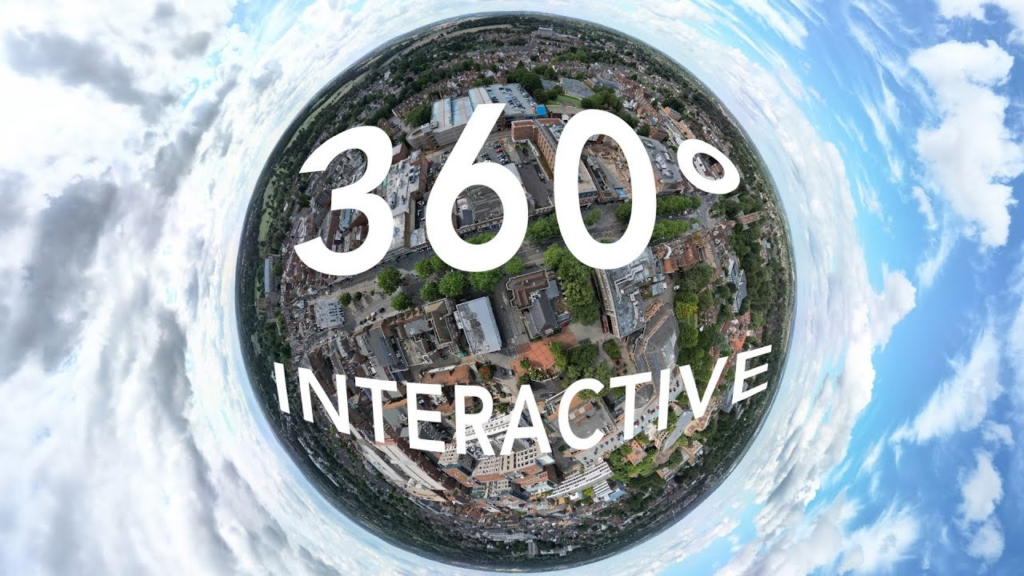
Interactive content has become increasingly important for improving user engagement and conversion rates.
Adding a 360 panorama viewer to your WordPress website can offer several advantages.
1. Better User Engagement
Static images only show one perspective at a time. In contrast, panoramic viewers allow visitors to control the experience themselves.
This sense of exploration encourages users to stay longer on your website, increasing overall engagement.
2. Stronger Trust and Transparency
When visitors can explore a product or environment from every angle, they feel more confident in what they are seeing.
例えば:
- Home buyers can explore properties remotely
- Hotel guests can view rooms before booking
- Customers can inspect products in detail
This transparency helps build credibility and reduces hesitation.
3. More Immersive Storytelling
Panoramic content allows brands to tell richer visual stories.
A travel website, for example, can transport users to a beach destination or mountain landscape without them leaving their browser.
This immersive experience often creates a stronger emotional connection with visitors.
4. Competitive Advantage
Many websites still rely only on images and videos.
By adding interactive panoramas, your website can stand out visually and technologically, giving visitors a memorable browsing experience.
How 360 Panorama Plugins Work
Most WordPress panorama plugins follow a similar workflow.
Step 1: Capture a Panorama Image
First, you need a 360-degree panoramic image. These can be captured using:
- 360 cameras
- DSLR panoramic stitching
- Smartphone panorama apps
- Professional virtual tour software
Once created, the panorama image is usually exported as a equirectangular image.
Step 2: Upload the Panorama
Next, you upload the panorama image to your WordPress media library.
Most plugins support drag-and-drop uploads.
Step 3: Configure the Viewer
The plugin converts the image into an interactive viewer. You can typically customize:
- rotation speed
- zoom levels
- control buttons
- navigation style
Some plugins also allow the addition of interactive hotspots.
Step 4: Embed on a Page
Finally, the panorama viewer can be inserted into a page using:
- a shortcode
- Gutenberg block
- page builder module
This allows the panorama to appear seamlessly within your website layout.
Popular WordPress Website Plugin for 360 Panorama Viewer
There are several plugins available that make it easy to add panoramic experiences to WordPress websites. Below are some widely used options.
1. WP VR
WP VR is one of the most popular panorama plugins for WordPress.
It allows users to create interactive virtual tours with ease. The plugin supports both single panorama scenes and multi-scene tours connected through navigation points.
Key features include:
- drag-and-drop panorama builder
- hotspot navigation
- compatibility with Gutenberg and page builders
- responsive design for mobile devices
- VR headset support
This plugin is particularly useful for real estate websites and tourism businesses.
2. PanoPress
PanoPress is another well-known plugin designed for displaying panoramic images inside WordPress posts and pages.
It supports both 360 panoramas and virtual tours, and it works smoothly with modern browsers and mobile devices.
Important features include:
- easy embedding with shortcodes
- support for multiple panorama scenes
- interactive hotspots
- responsive display
PanoPress is often chosen by photographers, bloggers, and educators who want to showcase immersive environments.
3. iPanorama 360
iPanorama 360 is a premium plugin focused on building fully interactive virtual tours.
Unlike simpler panorama viewers, this plugin allows site owners to create complex navigation experiences with multiple scenes and interactive elements.
Features include:
- visual editor interface
- hotspot linking between scenes
- custom icons and tooltips
- responsive panorama display
- compatibility with modern page builders
This makes it ideal for professional virtual tour projects.
4. Algori 360 Image
Algori 360 Image is a lightweight plugin designed to display simple 360 images using the Gutenberg editor.
It’s particularly suitable for beginners who want a straightforward way to display panoramas without complex configuration.
Features include:
- Gutenberg block integration
- smooth drag-to-rotate viewing
- simple image upload workflow
- responsive mobile support
For small projects or blogs, this plugin provides a quick and efficient solution.
5. Photo Sphere Viewer Integration
Some WordPress plugins are based on Photo Sphere Viewer, an open-source JavaScript library used to render 360 panoramas.
These integrations allow developers to embed highly customizable panoramic experiences into WordPress pages.
Advantages include:
- flexible configuration options
- modern WebGL rendering
- advanced interaction support
However, these plugins may require slightly more technical knowledge.
Key Features to Look for in a Panorama Viewer Plugin
When choosing a wordpress website plugin for 360 panorama viewer, it’s important to consider the following features.
使いやすさ
A user-friendly interface makes it easier to upload panoramas and configure viewers without coding.
Mobile Compatibility
Since many users browse websites on mobile devices, the panorama viewer should support touch gestures and responsive layouts.
Hotspot Interaction
Hotspots allow you to add clickable points within the panorama.
These can link to:
- other panorama scenes
- product pages
- additional information
This transforms the panorama into an interactive experience.
Page Builder Integration
If you use page builders like Elementor or WPBakery, choose a plugin that integrates easily with those tools.
パフォーマンスの最適化
Panorama images can be large. A good plugin should include optimization features to ensure fast loading times.
Use Cases for 360 Panorama Viewers
Many industries are adopting panoramic technology to improve online experiences.
Real Estate
Property buyers can explore homes remotely through immersive virtual tours.
Tourism
Travel websites can showcase destinations, hotels, and attractions through panoramic experiences.
Hospitality
Hotels can allow visitors to preview rooms, lobbies, and facilities.
Education
Museums and schools can create interactive exhibitions.
E-commerce
Brands can present products in a more immersive format, helping customers understand them better before purchasing.
Best Practices for Using Panorama Viewers
To get the best results from a panorama viewer plugin, consider these tips.
Use High-Quality Images
A blurry panorama can ruin the immersive experience. Always use high-resolution panoramic photos.
Optimize File Size
Large images can slow down your website. Compress images while maintaining quality.
Keep Navigation Simple
Too many hotspots or controls can confuse users. Focus on a clean and intuitive interface.
Combine with Storytelling
Instead of just displaying a panorama, use captions, descriptions, or guided navigation to tell a story.
The Future of Interactive Websites
Interactive experiences are becoming a core part of modern web design.
Technologies like:
- 360 panoramas
- virtual tours
- AR and VR experiences
are reshaping how users interact with websites.
As expectations continue to rise, businesses that adopt immersive technology early will have a strong advantage in attracting and engaging visitors.
Using a wordpress website plugin for 360 panorama viewer is one of the easiest ways to start building these interactive experiences.
最後に
Adding a 360 panorama viewer to your WordPress website can dramatically enhance user engagement, storytelling, and trust.
Whether you are running a real estate website, a travel platform, or an e-commerce store, immersive panoramic content allows visitors to explore environments and products in a far more engaging way than traditional images.
With the help of the right wordpress website plugin for 360 panorama viewer, you can integrate this technology into your website quickly and without complex development.
If you’re planning to build or redesign a WordPress website that includes immersive visuals, virtual tours, or interactive shopping experiences, thoughtful design plays a critical role.
で エアサン, we specialize in cross-border e-commerce website design and user experience optimization. From Shopify stores to ワードプレス websites, our focus is on creating visually engaging, conversion-focused designs that help brands stand out in global markets.
If you’re looking to create a modern website with immersive features like 360 panoramas, virtual tours, or interactive product experiences, feel free to explore our services or reach out to the エアサン team for professional design support.


WordPressのウェブサイトや、完全なeコマースシステムを備えたコーポレートサイトをデザイン・構築します。.
価格帯$200.00~$2,500.00custom-requirements-or-special-quotations
元価格は$2.00。.$1.00現在の価格は$1.00。. WordPress の電子商取引ストアに 50 個のプラグインは多すぎますか?
WordPressのeコマースサイトに50個のプラグインがあるからといって、それが自動的に問題になるわけではありません。実際、数だけでパフォーマンスが決まることはほとんどありません。.

Amazonホーム理学療法機器のメイン画像デザイン解説
はじめにAmazonで家庭用治療器の信頼できるイメージを構築する Amazonで家庭用治療器のメインイメージをデザインする際、私たちが最も重視するのは...

Amazon リップスティックコンバージョンのメイン画像デザイン
はじめにアマゾンで売れる口紅のメイン画像をデザインする アマゾンの口紅のメイン画像をデザインするとき、私たちの責任は...

ハッカーがWordPress管理者のメールアドレスを盗む方法(そしてそれを阻止する方法)
WordPressの管理者メールアドレスは、あなたが思っている以上に公開されているのです。ハッカーはそれが大好きです。彼らにとって、あなたの...

Amazonのリキッドファンデーションのメイン画像がコンバージョンにつながる理由
はじめに Amazonリキッドファンデーションのメイン画像デザインは、単に商品を美しく見せるだけではありません。Amazonでは、メイン画像と….

フィルターカートリッジの効果的なAmazonメインイメージのデザイン
はじめに Amazonのメイン画像をデザインする上で、商品を魅力的に見せることは決して重要ではありません。明確さ、信頼性、そして瞬時に理解できることが何よりも重要です。特に….

WordPress へのリプレイ攻撃: 本当の脅威か、それとも誇張された神話か?
まず最初に明確にしておきましょう。リプレイ攻撃は見た目には怖くありません。パスワードを破壊したり、緑色のハッカーテキストが飛び交うような悪質なコードを挿入したりもしません。彼らは狡猾なのです…。.

WordPressページを何も壊さずに複製する方法
正直に言って、新しいページを作りたくない時もあるでしょう。同じページを少しだけ変えたいだけなのに。レイアウトもブロックも設定も全部同じ。なぜなら….

ペット向けWordPressテーマ5選を比較
はじめに ペット関連のWordPressテーマを適切に選ぶことは、単なるデザイン上の決定ではありません。使いやすさ、拡張性、そして長期的なビジネスの成長に直接影響します。ペットケアとペット...

5つの水着eコマーステーマを比較
はじめに 水着やランジェリーの独立ストアに適切なテーマを選択することは、見た目だけの問題ではなく、コンバージョン率、拡張性、長期的な効果に直接影響します...

WordPressでコメント機能をオフにする方法(気が狂わずに)
WordPressのコメントについてお話しましょう。理論上は、コメントは素晴らしいものです。議論を促し、コミュニティを築き、ウェブサイトに「活気」を与えてくれます。しかし実際にはどうでしょうか?コメントはしばしば人を惹きつけ….

WordPress 500エラー:ウェブサイトがパニックに陥ったとき
WordPressサイトはほんの少し前までは問題ありませんでした。ページを更新した途端、突然…ドカーン💥…500 内部サーバーエラーが発生してしまいました。説明も謝罪もありませんでした。ただ冷たく、混乱を招くメッセージが表示され、その内容は….

科学主導のブランドのためのスケーラブルなWordPressウェブサイトの構築:AminoUSAプロジェクト
はじめに 今日のデジタル環境において、ウェブサイトは単なる製品リストを掲載する場所ではありません。規制の厳しい業界や研究重視の業界で事業を展開する科学主導のブランドにとって、ウェブサイトは….

グローバルブレードブランドのためのスケーラブルなShopifyストアの構築:CoolKatanaプロジェクト
はじめに 越境電子商取引において、Shopify の Web サイトは単なる店舗ではありません。ニッチで文化主導のカテゴリーで活動するブランドにとって、Web サイトは単なる店舗以上のものを実現する必要があります...

ポケモンカード向け高コンバージョンShopifyストアの設計
はじめに 収集可能な電子商取引の世界、特にポケモン トレーディング カード ゲーム (TCG) 市場では、Web サイトは単に製品をリストするだけでは不十分です。...

カスタムレンガブランドのための高コンバージョンShopifyデザイン
はじめに 今日の競争の激しいeコマース市場、特にパーソナライズされたギフトやコレクターズアイテムの分野では、Shopifyのウェブサイトは商品を展示する以上の機能を提供する必要があります。それは….

Shopifyサポートへの問い合わせ方法:シンプルでストレスフリーなガイド
Shopifyストアの運営は、混乱するのではなく、ワクワクするものであるべきです。疑問が生じたり、問題が発生して作業が滞ったりした場合でも、Shopifyは状況に応じて複数のサポートパスをご用意しています。.

Shopifyストアを非アクティブ化する方法:分かりやすく実践的なガイド
Shopifyストアの無効化はそれほど複雑ではありませんが、多くのマーチャントが見落としている影響があります。このガイドでは、そのプロセスを分かりやすく解説します。.