لا توجد منتجات في سلة التسوق.

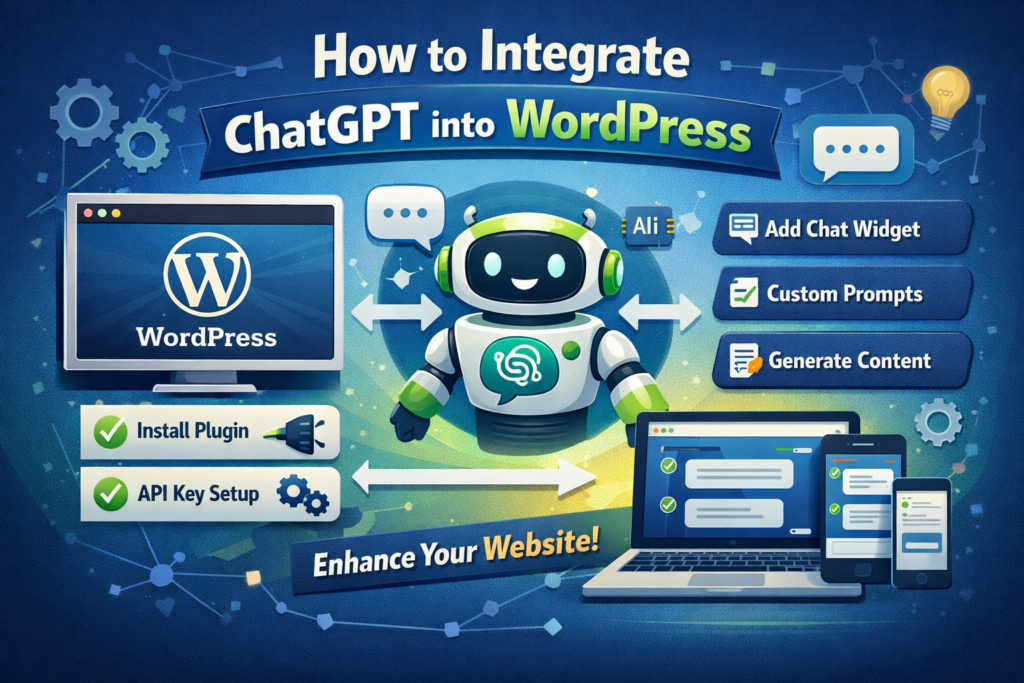
If you’ve ever wished your ووردبريس site could “think,” write, chat, and assist users like a real human—well, welcome to the age of AI. Integrating ChatGPT into WordPress is no longer a futuristic concept; it’s something you can actually do today (and honestly, you probably should).
In this guide, we’re going to break down how to integrate ChatGPT into WordPress in a simple, practical, and slightly entertaining way. No heavy technical jargon, no boring textbook explanations—just a clear path from “I heard about ChatGPT” to “my website now works smarter than me.”
Let’s start with the obvious question: why should you care?
Because ChatGPT turns your website from a static page into a dynamic experience.
بدلاً من:
You get:
Think of it like hiring a 24/7 assistant who never complains, never sleeps, and doesn’t ask for a raise.
Before we jump into the “how,” let’s quickly cover the basics.
To integrate ChatGPT into WordPress, you’ll need:
That last one matters more than people think.
Because adding AI without a purpose is like installing a Ferrari engine in a bicycle—cool, but kind of pointless.

There isn’t just one way to do this. Depending on your skills (and patience), you can choose from three main approaches.
This is the fastest and most beginner-friendly method.
There are several plugins designed specifically to connect ChatGPT with WordPress. These plugins typically allow you to:
Boom. You’re live.
If you’re running a Shopify-style content site or a WordPress business site, this is usually the best starting point.
If you want more control, this is where things get interesting.
Instead of relying on plugins, you connect directly to OpenAI’s API.
Yes, this requires some coding—but the payoff is huge.
You can build:
This is where your website stops being “just a site” and starts becoming a tool.

If you’re using builders like Elementor (which you probably are), you can combine:
This gives you a semi-custom solution without going full developer mode.
على سبيل المثال:
This is especially useful for:
Now comes the fun part.
Once you integrate ChatGPT into WordPress, here’s what it can actually do:
بدلاً من:
“Please wait 24–48 hours for a reply…”
You get:
Instant answers.
ChatGPT can handle:
And it doesn’t lose patience.
Need blog posts? Product descriptions? Landing page copy?
منتهي.
ChatGPT can:
It’s basically your backup copywriter.
Imagine this:
A visitor lands on your site and asks:
“What’s the best product for beginners?”
ChatGPT replies instantly—with context-aware suggestions.
That’s conversion power.
Instead of passive scrolling, users can:
This keeps them on your site longer—and that’s always a good thing.
Let’s talk about what you really care about: traffic.
Integrating ChatGPT into WordPress can help with:
And if you structure it right, you can even create:
All of this helps boost rankings for keywords like:
👉 how to integrate chatgpt into wordpress
(Yes, just like this article.)
Before you go full AI mode, let’s avoid a few classic mistakes.
Google is smart.
If your site becomes a copy-paste AI factory, your rankings might suffer.
👉 Solution:
Edit, refine, and humanize your content.
Adding a chatbot “just because” is a waste.
👉 Solution:
Define a role:
A badly placed chatbot = annoying popup.
👉 Solution:
Make it helpful, not intrusive.
Out-of-the-box ChatGPT is powerful—but generic.
👉 Solution:
Customize prompts and responses to match your brand.
If you want results (not just cool tech), follow these:
يتذكر:
AI is a tool.
Design is what makes it work.
We’re just getting started.
Soon, websites won’t just display information—they’ll:
And honestly?
Websites without AI will start to feel outdated.
Learning how to integrate ChatGPT into WordPress isn’t just about adding a feature—it’s about upgrading your entire website experience.
From smarter content to better conversions, the impact is real.
But here’s the truth most people overlook:
👉 AI alone doesn’t build a great website.
👉 Design + structure + strategy do.
That’s exactly where we come in.
في أيرسانج, we focus on cross-border eCommerce and high-converting website design. From ووردبريس إلى Shopify, we help brands turn their websites into powerful sales tools—combining clean design, user experience, and now, smart AI integration.
If you’re thinking about upgrading your site with ChatGPT (and actually making it convert), it might be time to do it the right way.
Let’s build something smarter.